This release focuses on improving onboarding efficiency, enhancing PBX administration workflows, and expanding device compatibility through Yealink SDK integration.
PBX Extensions Bulk Onboarding
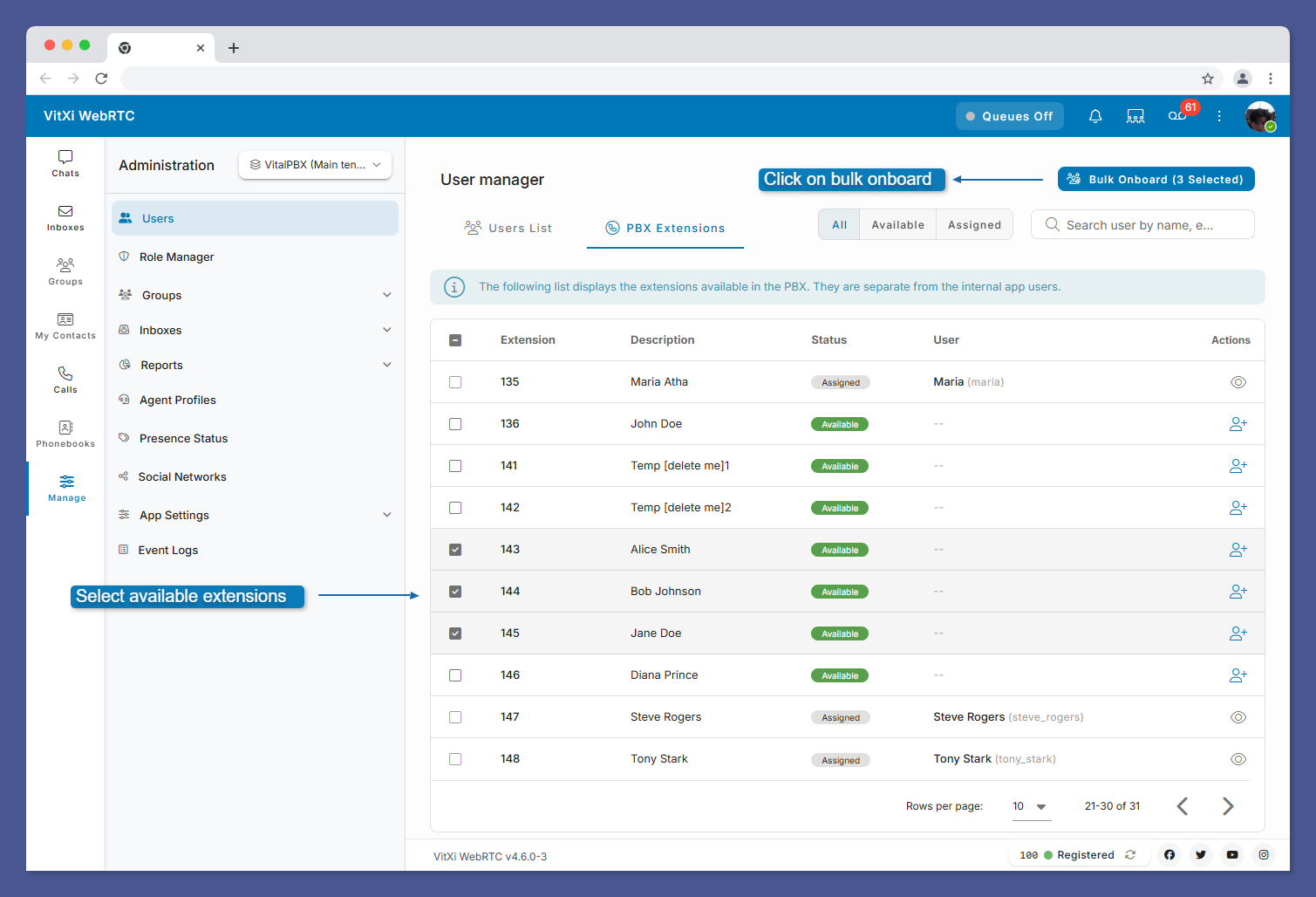
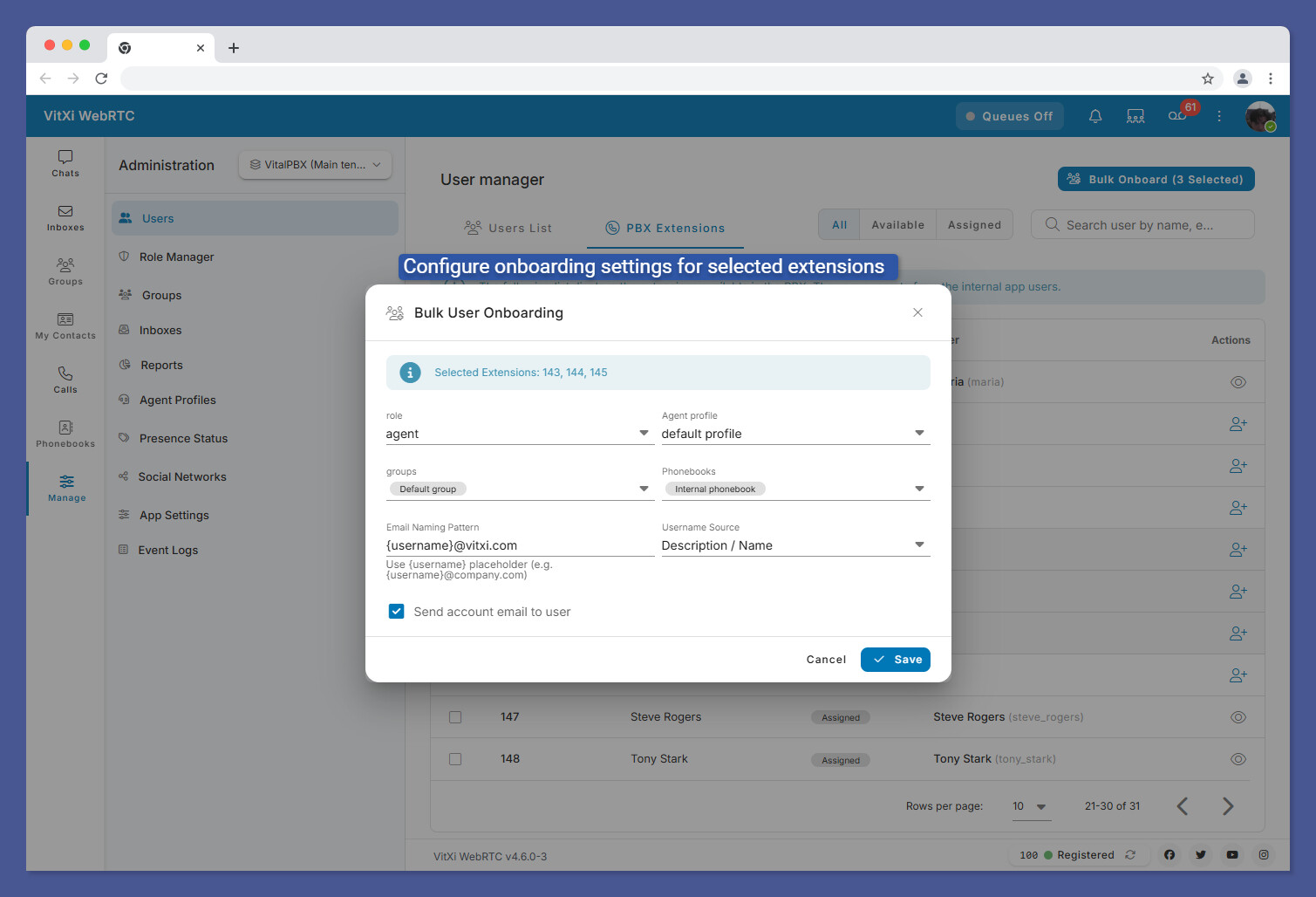
Added bulk onboarding capabilities for PBX extensions to simplify large-scale deployments and reduce setup time.
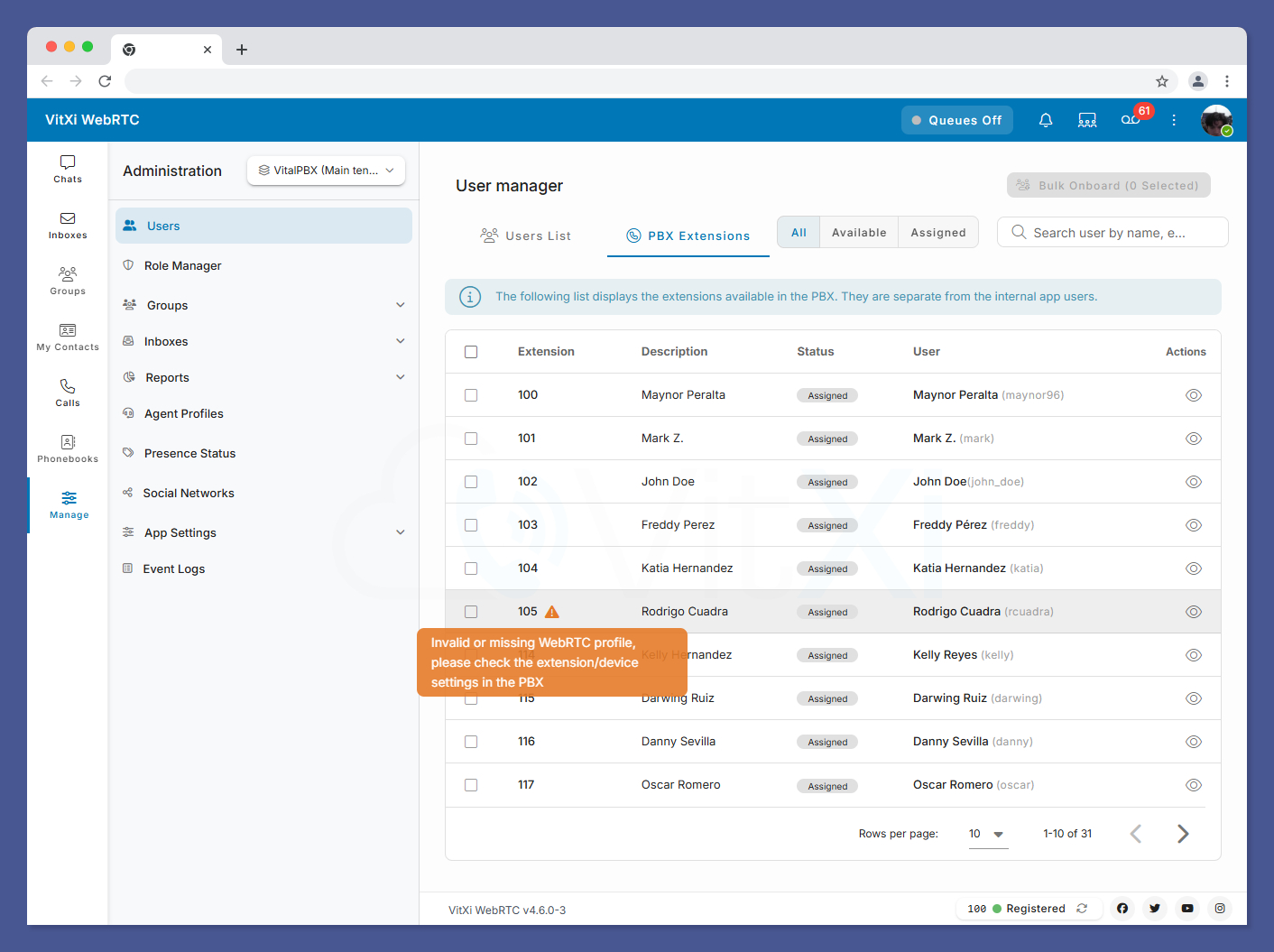
The extension list now displays warning indicators when a WebRTC extension/device does not have a properly assigned WebRTC profile. This helps administrators quickly detect and correct configuration issues.
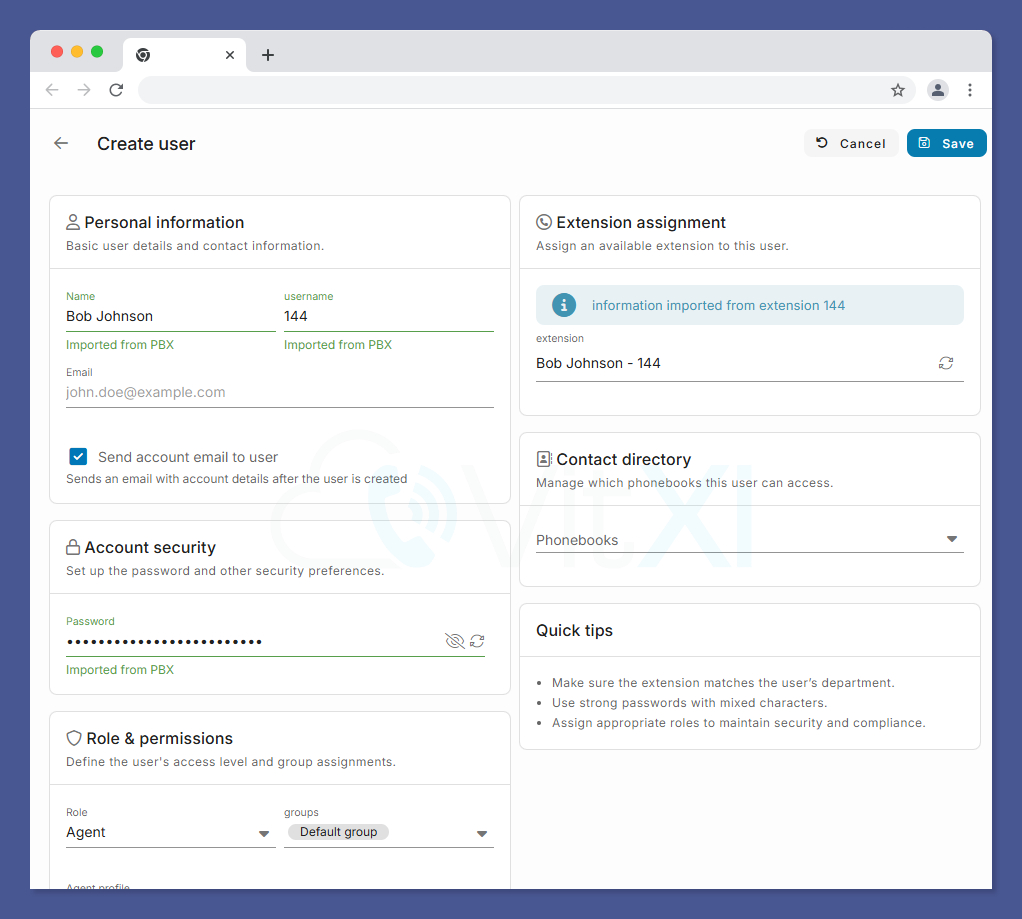
The user creation process has been streamlined. When selecting an extension, the system now automatically fills in the name, username, and password fields, significantly reducing manual input and speeding up provisioning.
This is great! We have been waiting for these features to be released as it will reduce the time spent creating this on a 1:1 entry from previous. Also, it looks very nice and clean.
Only other thing we would like to see is if this process could be included in the extension creation if we include a WebRTC Profile device for a user. Possibly after the extension is created, this popup box opens for that user from the WebRTC Administrator to complete the setup for that extension being created or the profile being added to a current user/extension without having to switch widows/tabs and have to go through the process. I’m just trying to think of how this process can be handled in the VitalPBX extension manager without the need of switching back and forth.
Also, when the QR code pops up for the user when they click on “Switch to Phone Mode”, it has a 60 second countdown timer to scan the code. Is this for the Vital Connect mobile app? Or are you guys reintroducing the VitXi Mobile app again? And if it’s for the Connect app, then we will need to ensure that we have the licensing available for the server and that the extension(s) have a license applied for the users that are using it.
And with that said, another idea just popped into my head…if the user/extension doesn’t have a Connect license applied to them (because of licensing costs per user), do they still have that option in the updated VitXi desktop, or does that option only show up if they are licensed for it?
Thanks again for all the hard work. These are great improvements which will allow our clients a better, more economical solution, but also be able to onboard new clients more quickly this way. Especially if onboarding costs are an issue and they have no problems using their PC, phone, or tablet as their extension.
Thank you for your valuable feedback, and I apologize for the delay in responding.
We are currently working on automating the process of creating extensions and VitXi users, which will eliminate the need to switch between different applications or browser tabs.
Regarding the QR code displayed in VitXi WebRTC, it is intended for the upcoming official VitXi mobile application that is currently under development. Features such as call logs, chats, notifications, settings, and other data will be synchronized with the new mobile app to provide a seamless user experience across devices.
Thank you again for your comments and suggestions. We greatly appreciate your input and will take it into consideration as we continue to develop our product roadmap. Please stay tuned to our communication channels, including this forum, for the latest VitXi updates and announcements.
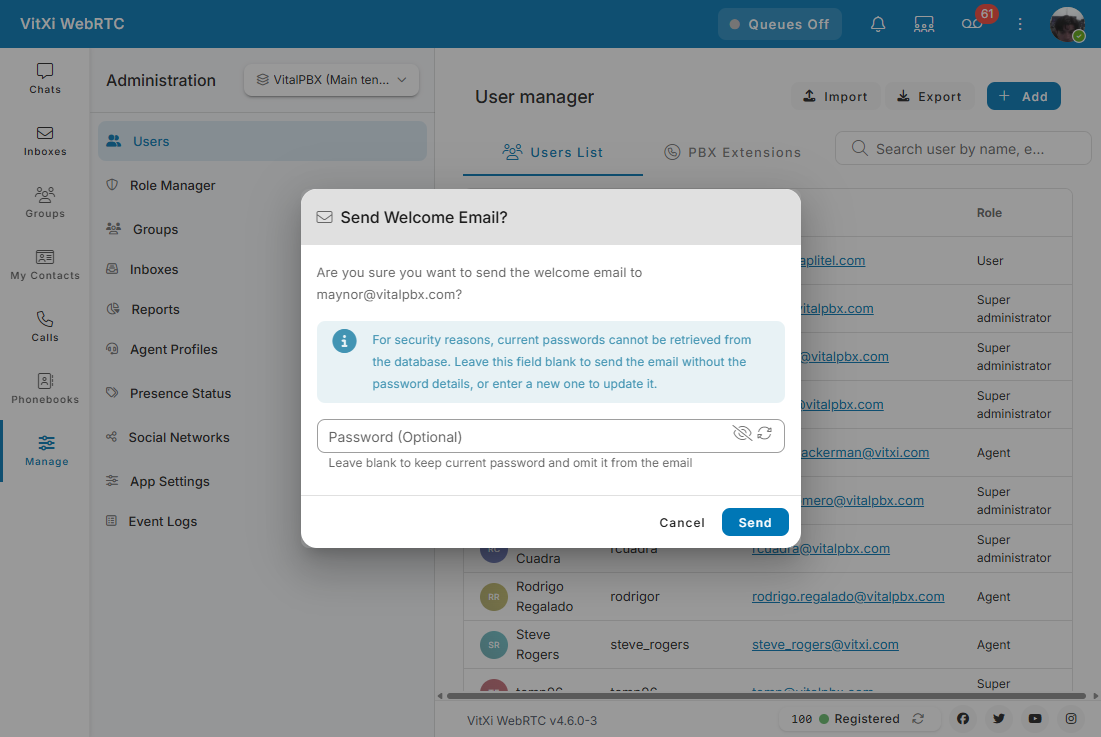
Thank you for this excellent update, which many of us have been looking forward to for a long time. Also may be as @WavSpeed mentioned above in other way at least we can change the vitxi user password and force logout the user after changing its password from the extension tab directly.
Regarding the multi-tenant environment, I believe service providers companies would greatly benefit from having more granular control over the features and menu items available to their sub-users. For example, it would be useful to have the ability to hide the Mobile Login (Preview) option and its associated QR code until the feature is officially released and ready for production use.
Similarly, the Inboxes feature appears to be intended for VitalPBX One, yet there is currently no option to hide it from users who do not require access to it.
those are 2 examples and you can spread that on all items that already appear for the users or agents and even forbid him from changing his user password.
We look forward to future updates that provide system administrators and superuser accounts with enhanced control over the user interface, including the ability to selectively show or hide specific features, menu items, and modules based on user roles, permissions, or business requirements. This would significantly improve flexibility and the overall user experience in multi-tenant deployments.