Hello everyone!
We are pleased to announce the release of VitXi version 4.6.0-13. This update introduces a redesigned headset management interface, plus native multi-call and call-waiting controls for professional headsets.
Streamlined Headset Integration UI
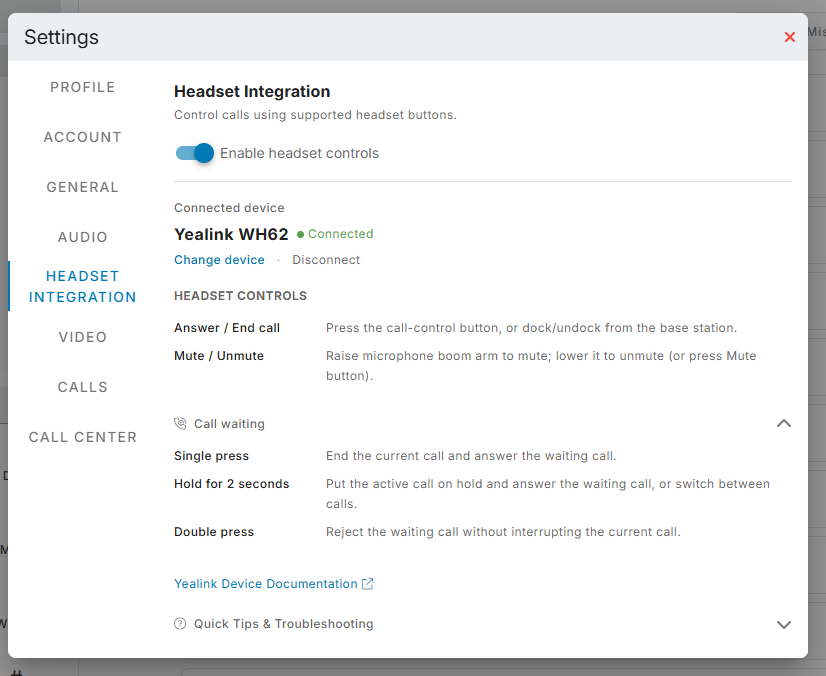
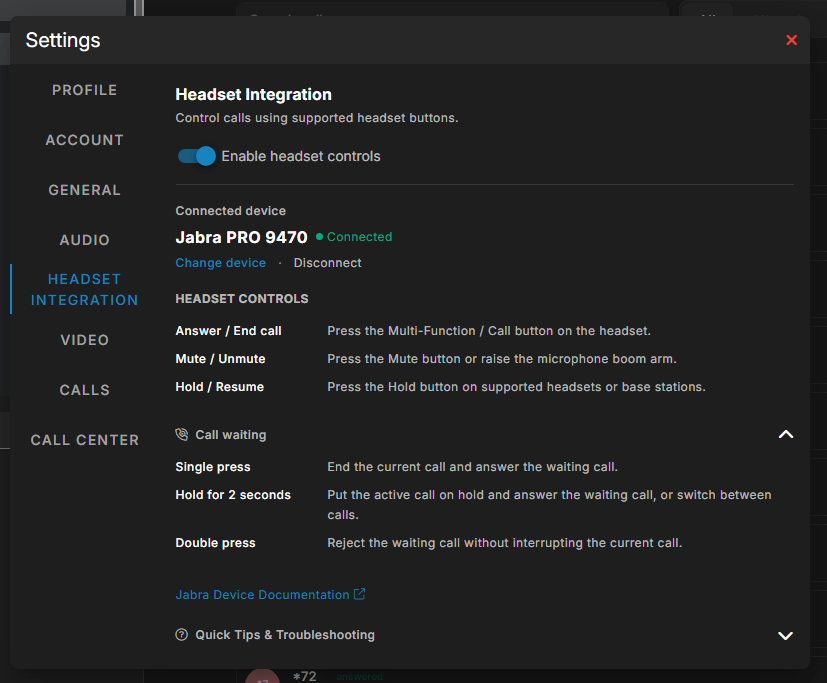
The Headset Integration screen in Settings has been redesigned to be faster, cleaner, and more intuitive:
- Instant Connection Status: Visual indicator displaying connected USB and Bluetooth devices with streamlined setup and test actions.
- Context-Aware Control References: Automatically shows the exact button actions and controls for your detected headset brand and model.
- Collapsible Call Waiting Tables: Keep the main settings interface clear while providing a quick, collapsible gesture guide whenever you need it.
- Built-in Troubleshooting Panel: Integrated tips for browser WebHID permissions, device authorization, and audio settings.
Native Multi-Call & Call Waiting Handling
Managing multiple simultaneous calls directly from your headset is now seamless:
-
Jabra Headsets (Easy Call Control):
- Call Waiting Alerts: Receive incoming call notifications on your headset while on an active conversation.
- Answer & Hold Current: Answering a second incoming call automatically puts the first caller on hold without dropping the active session.
- Call Swapping: Use your headset’s dedicated swap button to toggle focus between active and held calls.
- Safe Decline: Declining a waiting call from the headset leaves your active conversation uninterrupted.
-
Yealink Headsets (WH62, WH63, UH34, UH36, BH71) & Devices:
- Hold to Swap: Press and hold the Call Control button for 2 seconds to alternate between active and held lines.
- Single-Press Answer: Press once to finish the active call and immediately answer the waiting caller.
- Double-Press Reject: Decline a waiting call without disturbing your current caller.
- Cradle Detection: Placing a physical handset back on its cradle reliably terminates the call.
- Audio DSP Stability: Suppresses device-level ring commands during established calls to preserve audio quality when a second call arrives.
To update your VitXi installation on Debian, run:
sudo apt update && sudo apt install --only-upgrade vitxi
Feel free to share your thoughts, questions, and feedback in this thread!