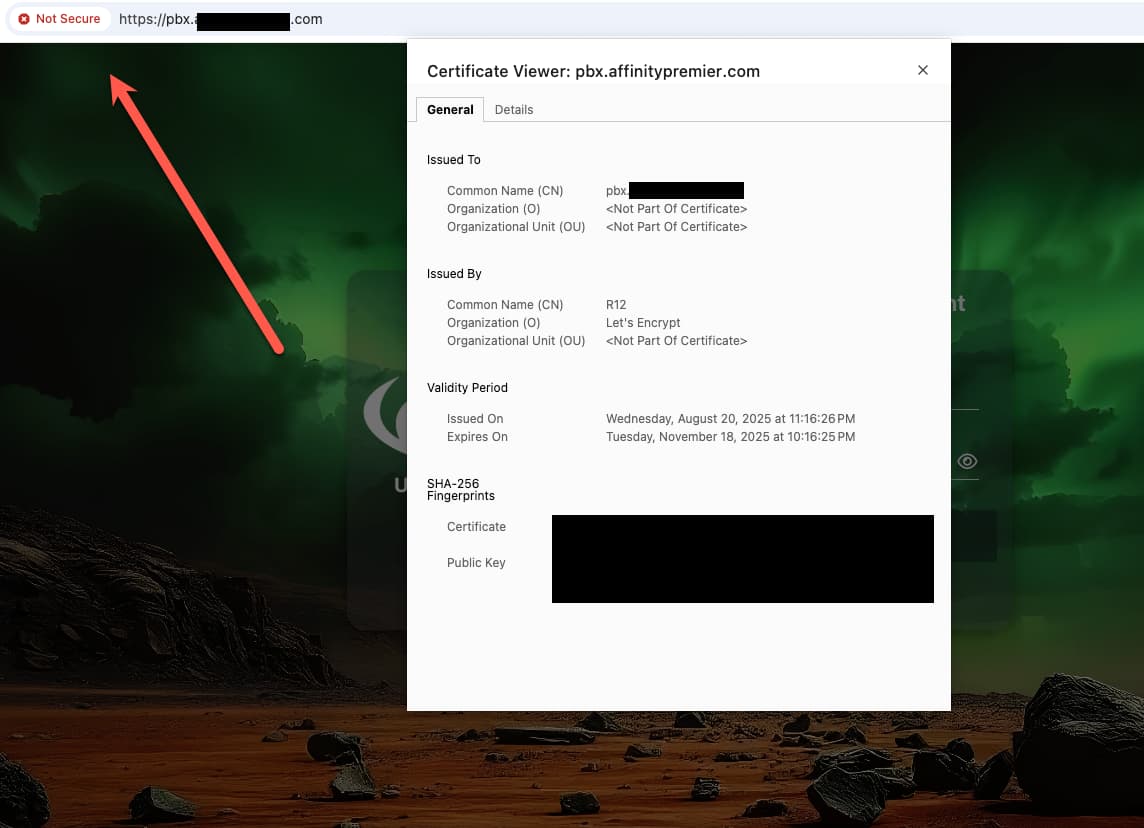
Has anyone had this problem and resolved it?
Other browsers are fine. It appears Chrome wants org names.
Has anyone had this problem and resolved it?
Other browsers are fine. It appears Chrome wants org names.
Clean the browser cache or try using an incognito tab. This is usually cache.
Cleared cache, and get the same results. I can use other browsers, incognito works well too.
Thanks.
It is not a cert issue, but an issue with the browser cache. Nothing to worry about!
You can try doing a hard browser reload.
I tried doing a hard reset and dumping cache. It appears that Chrome looks at the images and if the images are on a HTTP host, then it flags the domain.
Not a biggie. I started with a cert problem…after I fixed it, I just really drilled down. LOL, I’ve wasted time on this issue. It’s probable a benefit to have a security warning, for people who stumble on the site and shouldn’t be there.
This topic was automatically closed 30 days after the last reply. New replies are no longer allowed.