# VitXI Loading slowly and Memory USage
**URL:** https://forums.vitalpbx.org/t/vitxi-loading-slowly-and-memory-usage/2794
**Category:** VitXi WebRTC
**Created:** [May 24, 2023, 11:45am UTC](https://forums.vitalpbx.org/t/vitxi-loading-slowly-and-memory-usage/2794 "2023-05-24T11:45:29Z")
**Posts on this page:** 20
**Page:** 1
### Author:  [@gmap](https://forums.vitalpbx.org/u/gmap)
#### Post date: [May 24, 2023, 11:45am UTC](https://forums.vitalpbx.org/t/vitxi-loading-slowly-and-memory-usage/2794/1 "2023-05-24T11:45:29Z")
Hello dear team
We note from this morning that our service is not working fine
1. Vitxi: This application is not loading correctly, it takes long time and doesnt allow us to work
2. We note also the Memory Usage is showing 100% used
Notes:
We have 3 Tenants (2 actives)
- The first Tenant mostly using VitXI and has 30+ active extensions (he does 100+ calls per day)
- The second uses mostly Desk phones and Vital COnnect app
Please help
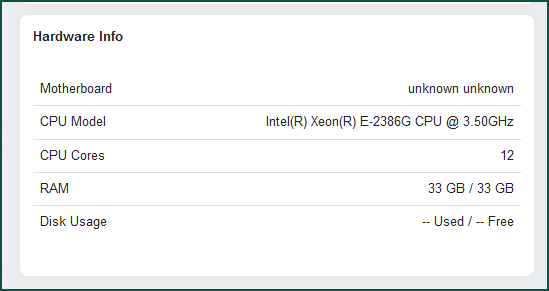
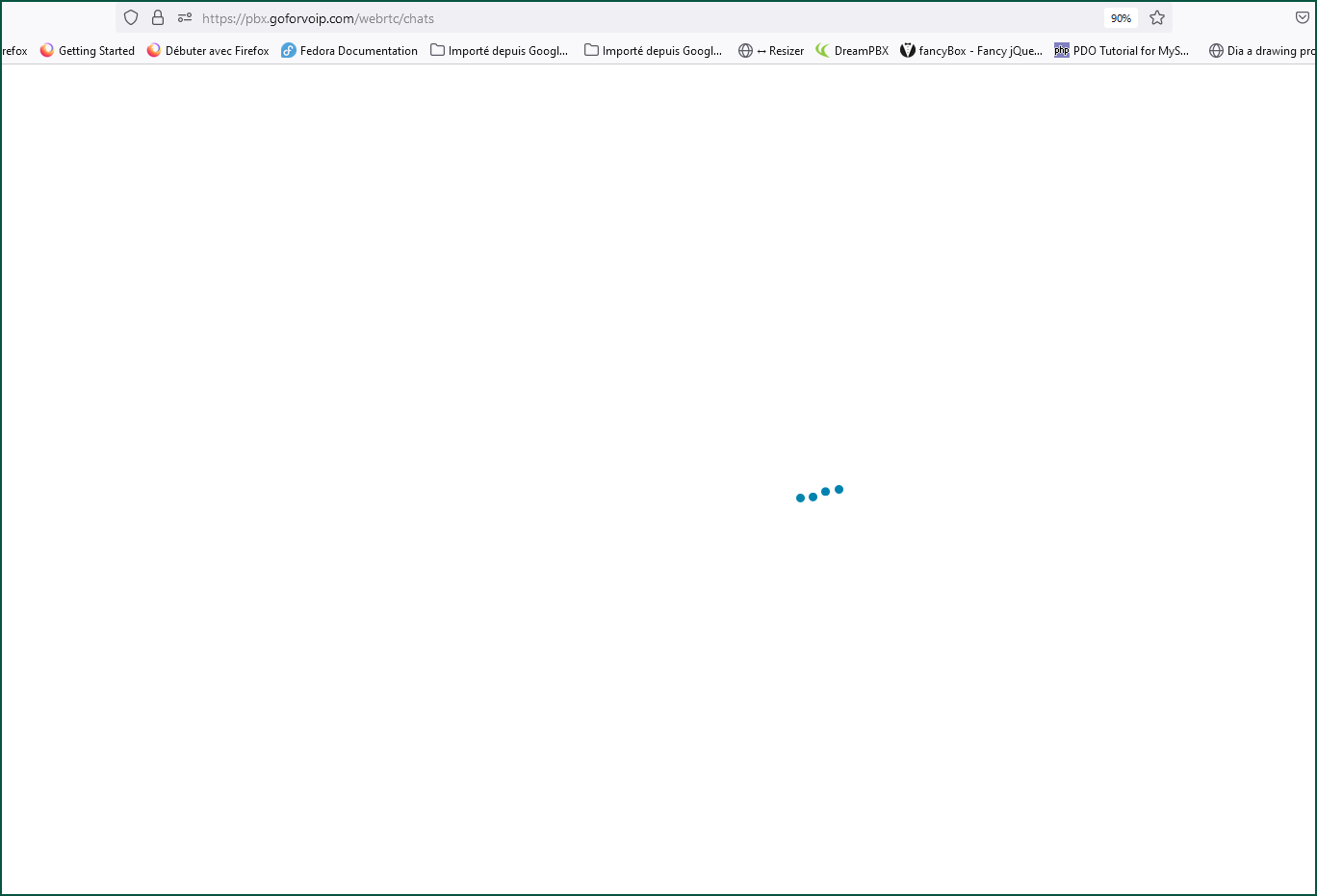

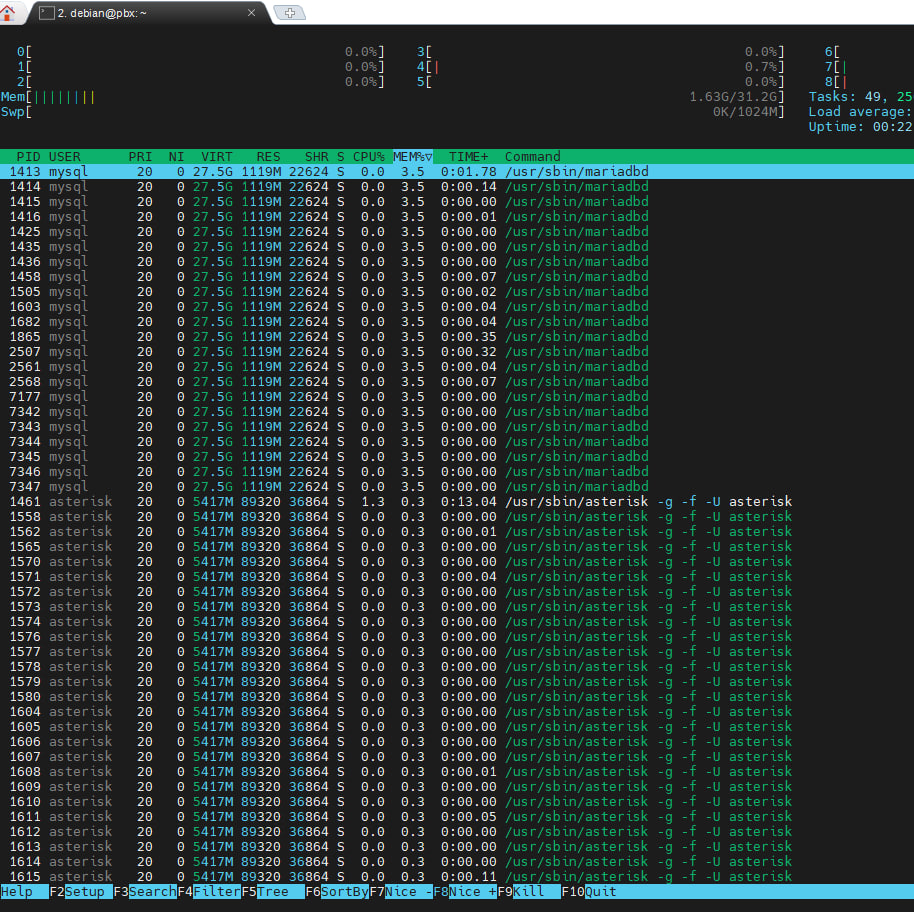
---
### Author:  [@mrmangosir](https://forums.vitalpbx.org/u/mrmangosir)
#### Post date: [May 24, 2023, 11:52am UTC](https://forums.vitalpbx.org/t/vitxi-loading-slowly-and-memory-usage/2794/2 "2023-05-24T11:52:36Z")
Just to be clear we never used VitXI.
You say one tenant mainly using VitXI? Slow as in the application is slow? Tenants are I assume on separate networks? If you are on a separate network, maybe you fire up a VitXI instance and see if it’s slow to eliminate network?
looking at your resources, I don’t think its standard memory / CPU usage on your machine.
---
### Author:  [@gmap](https://forums.vitalpbx.org/u/gmap)
#### Post date: [May 24, 2023, 11:56am UTC](https://forums.vitalpbx.org/t/vitxi-loading-slowly-and-memory-usage/2794/3 "2023-05-24T11:56:02Z")
Hello dear,
I was talking about [VitXi WebRTC](https://forums.vitalpbx.org/c/vitxi-webrtc/8)
Our client who has agents located in Morocco, Togo, Benin, all are not able to load VitXi correctly.
The bellow URL is still loading continuesly: [webrtc app](https://pbx.goforvoip.com/webrtc/chats)
---
### Author:  [@mrmangosir](https://forums.vitalpbx.org/u/mrmangosir)
#### Post date: [May 24, 2023, 12:00pm UTC](https://forums.vitalpbx.org/t/vitxi-loading-slowly-and-memory-usage/2794/4 "2023-05-24T12:00:07Z")
Hi,
When I web browse to that URL it gives me a login screen, is that the PBX (VitXi front end?) I assume. Does it load continuously after logging in? Are you getting the same as the clients?
---
### Author:  [@gmap](https://forums.vitalpbx.org/u/gmap)
#### Post date: [May 24, 2023, 12:01pm UTC](https://forums.vitalpbx.org/t/vitxi-loading-slowly-and-memory-usage/2794/5 "2023-05-24T12:01:48Z")
> [@mrmangosir](#):
>
> If you are on a separate network, maybe you fire up a VitXI instance and see if it’s slow to eliminate network?
How do we fire up new instance please?
---
### Author:  [@gmap](https://forums.vitalpbx.org/u/gmap)
#### Post date: [May 24, 2023, 12:02pm UTC](https://forums.vitalpbx.org/t/vitxi-loading-slowly-and-memory-usage/2794/6 "2023-05-24T12:02:51Z")
> [@mrmangosir](#):
>
> When I web browse to that URL it gives me a login screen, is that the PBX (VitXi front end?) I assume. Does it load continuously after logging in? Are you getting the same as the clients?
Yes, when you put login and password of user, it loads continuesly
---
### Author:  [@mrmangosir](https://forums.vitalpbx.org/u/mrmangosir)
#### Post date: [May 24, 2023, 12:03pm UTC](https://forums.vitalpbx.org/t/vitxi-loading-slowly-and-memory-usage/2794/7 "2023-05-24T12:03:32Z")
Sorry, I am thinking local softphone, this is a web service on your PBX. So if you login, assuming you are not on the same network as your customers, does it too load continuously for you?
---
### Author:  [@gmap](https://forums.vitalpbx.org/u/gmap)
#### Post date: [May 24, 2023, 12:04pm UTC](https://forums.vitalpbx.org/t/vitxi-loading-slowly-and-memory-usage/2794/8 "2023-05-24T12:04:43Z")
Yes, Vitxi and VitalPBX are installed on same server and it’s Cloud Based
---
### Author:  [@mrmangosir](https://forums.vitalpbx.org/u/mrmangosir)
#### Post date: [May 24, 2023, 12:07pm UTC](https://forums.vitalpbx.org/t/vitxi-loading-slowly-and-memory-usage/2794/9 "2023-05-24T12:07:32Z")
Assume deskphones are not getting audio issues etc? Have you checked latency from your server?
---
### Author:  [@mrmangosir](https://forums.vitalpbx.org/u/mrmangosir)
#### Post date: [May 24, 2023, 12:11pm UTC](https://forums.vitalpbx.org/t/vitxi-loading-slowly-and-memory-usage/2794/10 "2023-05-24T12:11:32Z")
VitXI looks like it runs as a separate process, maybe there is a way to restart that process? If no other functionality is being effected, someone might know how to do that?
---
### Author:  [@gmap](https://forums.vitalpbx.org/u/gmap)
#### Post date: [May 24, 2023, 12:15pm UTC](https://forums.vitalpbx.org/t/vitxi-loading-slowly-and-memory-usage/2794/11 "2023-05-24T12:15:09Z")
UPDATE:
Wtually i was using Mozzila Firefox.
When i try to connect using an other browser:
1. Chrome : Correctly connected without slow loading

1. AVAST SECURE BROWSER

1. Mozzila Firefox: Still loading

---
### Author:  [@mrmangosir](https://forums.vitalpbx.org/u/mrmangosir)
#### Post date: [May 24, 2023, 12:18pm UTC](https://forums.vitalpbx.org/t/vitxi-loading-slowly-and-memory-usage/2794/12 "2023-05-24T12:18:49Z")
Just installed on my test server, can confirm the same.

---
### Author:  [@gmap](https://forums.vitalpbx.org/u/gmap)
#### Post date: [May 24, 2023, 12:19pm UTC](https://forums.vitalpbx.org/t/vitxi-loading-slowly-and-memory-usage/2794/13 "2023-05-24T12:19:10Z")
As all the Addons + VitalPBX are on the same server, earlier this morning i Upgrade Debian, rebooted, checked new update, etc
Actually, as for my previous comment, service seams working bad on my FireFox and works fine in others browsers, i asked clients located in others countries to test and share feedback
I’ll let yiu know
---
### Author:  [@mrmangosir](https://forums.vitalpbx.org/u/mrmangosir)
#### Post date: [May 24, 2023, 12:28pm UTC](https://forums.vitalpbx.org/t/vitxi-loading-slowly-and-memory-usage/2794/14 "2023-05-24T12:28:47Z")
Tried it on Firefox and I get:
Firefox can’t establish a connection to the server at wss://:8089/ws.
Looks like FF is having problems with connecting to the websocket. Why I don’t know.
---
### Author:  [@gmap](https://forums.vitalpbx.org/u/gmap)
#### Post date: [May 24, 2023, 12:56pm UTC](https://forums.vitalpbx.org/t/vitxi-loading-slowly-and-memory-usage/2794/15 "2023-05-24T12:56:40Z")
We continue testing all possibilities and will post here any update
---
### Author:  [@gmap](https://forums.vitalpbx.org/u/gmap)
#### Post date: [May 24, 2023, 1:57pm UTC](https://forums.vitalpbx.org/t/vitxi-loading-slowly-and-memory-usage/2794/16 "2023-05-24T13:57:06Z")
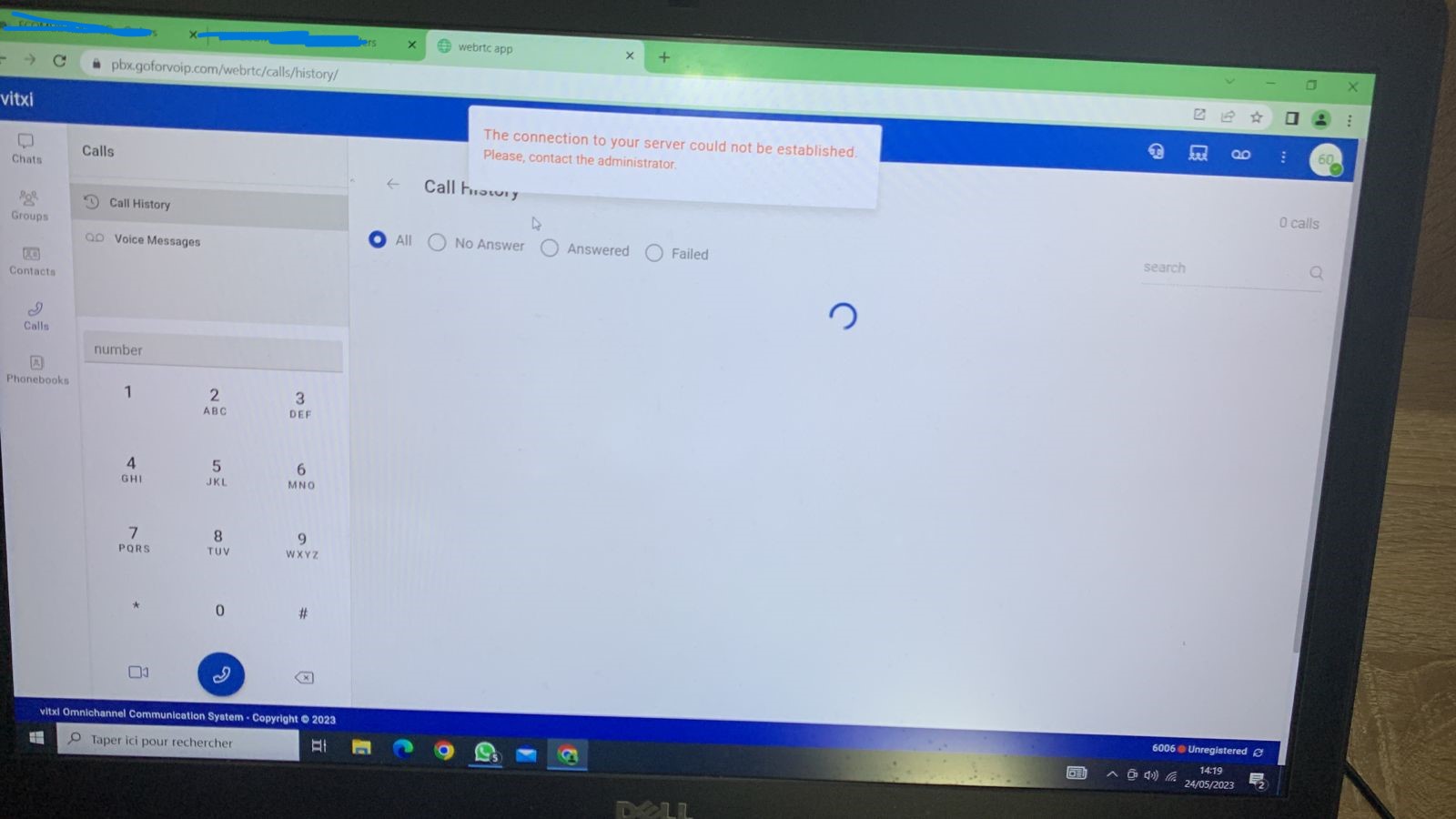
after testing further, we note that service is not stable, some agents tried to use multiple Browsers and having issue.
The latest one got:
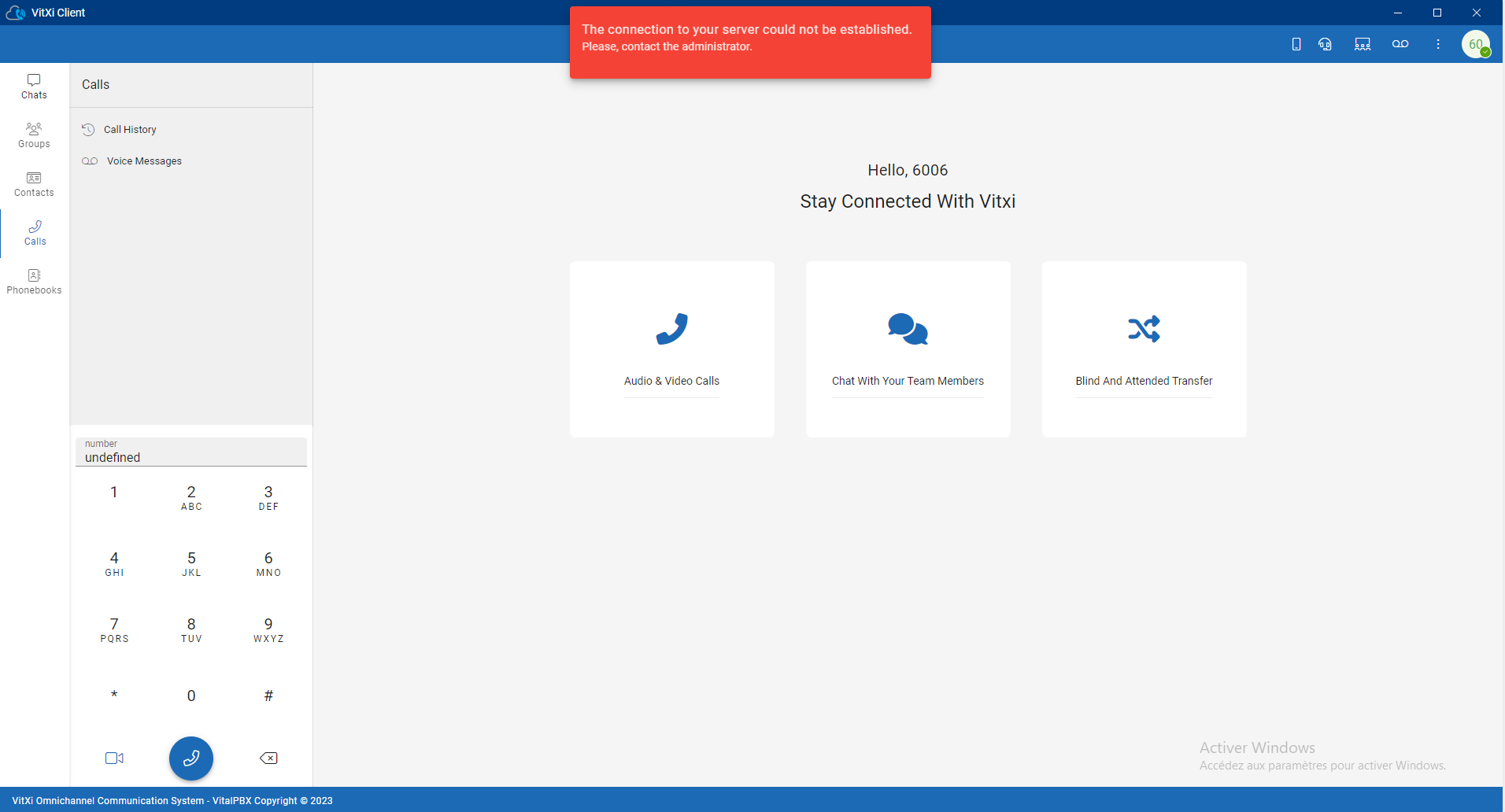
He is using the Desktop application but also Chrome
---
### Author:  [@mrmangosir](https://forums.vitalpbx.org/u/mrmangosir)
#### Post date: [May 24, 2023, 2:02pm UTC](https://forums.vitalpbx.org/t/vitxi-loading-slowly-and-memory-usage/2794/17 "2023-05-24T14:02:41Z")
I removed cache on Firefox for the our test system and it loaded for a while until it dropped again.
---
### Author:  [@maynor](https://forums.vitalpbx.org/u/maynor)
#### Post date: [May 24, 2023, 2:03pm UTC](https://forums.vitalpbx.org/t/vitxi-loading-slowly-and-memory-usage/2794/18 "2023-05-24T14:03:44Z")
Hello!
Please verify that port 6001 is enabled in VitalPBX and in any Firewall you have active.
Then, run the following commands:
**vitalpbx apply-firewall**
**/usr/share/vitxi/backend/artisan websockets:ssl-config**
**systemctl restart vitxi**
After that, please reload the application by pressing Ctrl + F5 (perform a hard reload to clear the browser cache).
Please let me know if it worked.
Regards!
---
### Author:  [@gmap](https://forums.vitalpbx.org/u/gmap)
#### Post date: [May 24, 2023, 2:12pm UTC](https://forums.vitalpbx.org/t/vitxi-loading-slowly-and-memory-usage/2794/19 "2023-05-24T14:12:37Z")
> [@maynor](#):
>
> Please verify that port 6001 is enabled in VitalPBX and in any Firewall you have active.

I think it’s the only place we could have that port as we didnt change anything so far, yesterday it was working fine.
> [@maynor](#):
>
> vitalpbx apply-firewall
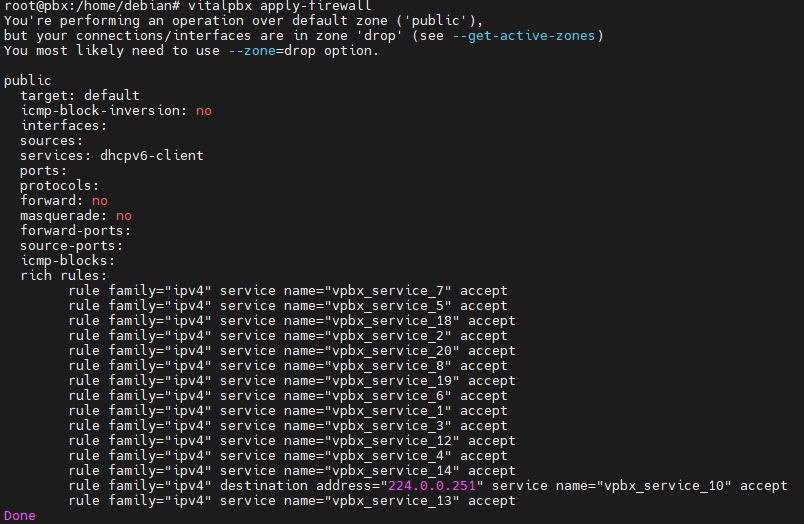
> [@maynor](#):
>
> /usr/share/vitxi/backend/artisan websockets:ssl-config
Sorry dear, i didnt understand how to use this
> [@maynor](#):
>
> systemctl restart vitxi
Done it but didnt change anything
---
### Author:  [@maynor](https://forums.vitalpbx.org/u/maynor)
#### Post date: [May 24, 2023, 2:41pm UTC](https://forums.vitalpbx.org/t/vitxi-loading-slowly-and-memory-usage/2794/20 "2023-05-24T14:41:54Z")
> [@gmap](#):
>
> > [@maynor](#):
> >
> > /usr/share/vitxi/backend/artisan websockets:ssl-config
You need to copy and paste the following command in the server terminal. This command configures the VitXi service. After executing this command, run: systemctl restart vitxi.
Then, reload the application by pressing Ctrl + F5 (perform a hard reload to clear the browser cache).
[Next page](https://forums.vitalpbx.org/t/vitxi-loading-slowly-and-memory-usage/2794.md?page=2)