# Trunk Registration
**URL:** https://forums.vitalpbx.org/t/trunk-registration/5718
**Category:** VitalPBX
**Created:** [September 16, 2025, 11:15am UTC](https://forums.vitalpbx.org/t/trunk-registration/5718 "2025-09-16T11:15:18Z")
**Posts on this page:** 4
**Page:** 1
### Author:  [@Uuskuu](https://forums.vitalpbx.org/u/Uuskuu)
#### Post date: [September 16, 2025, 11:15am UTC](https://forums.vitalpbx.org/t/trunk-registration/5718/1 "2025-09-16T11:15:18Z")
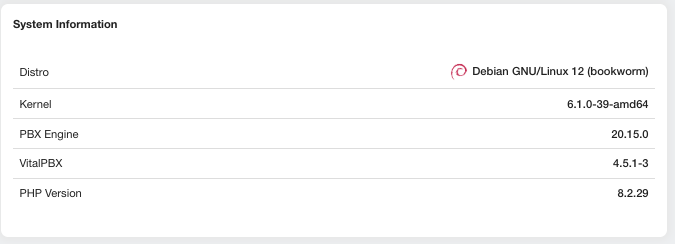
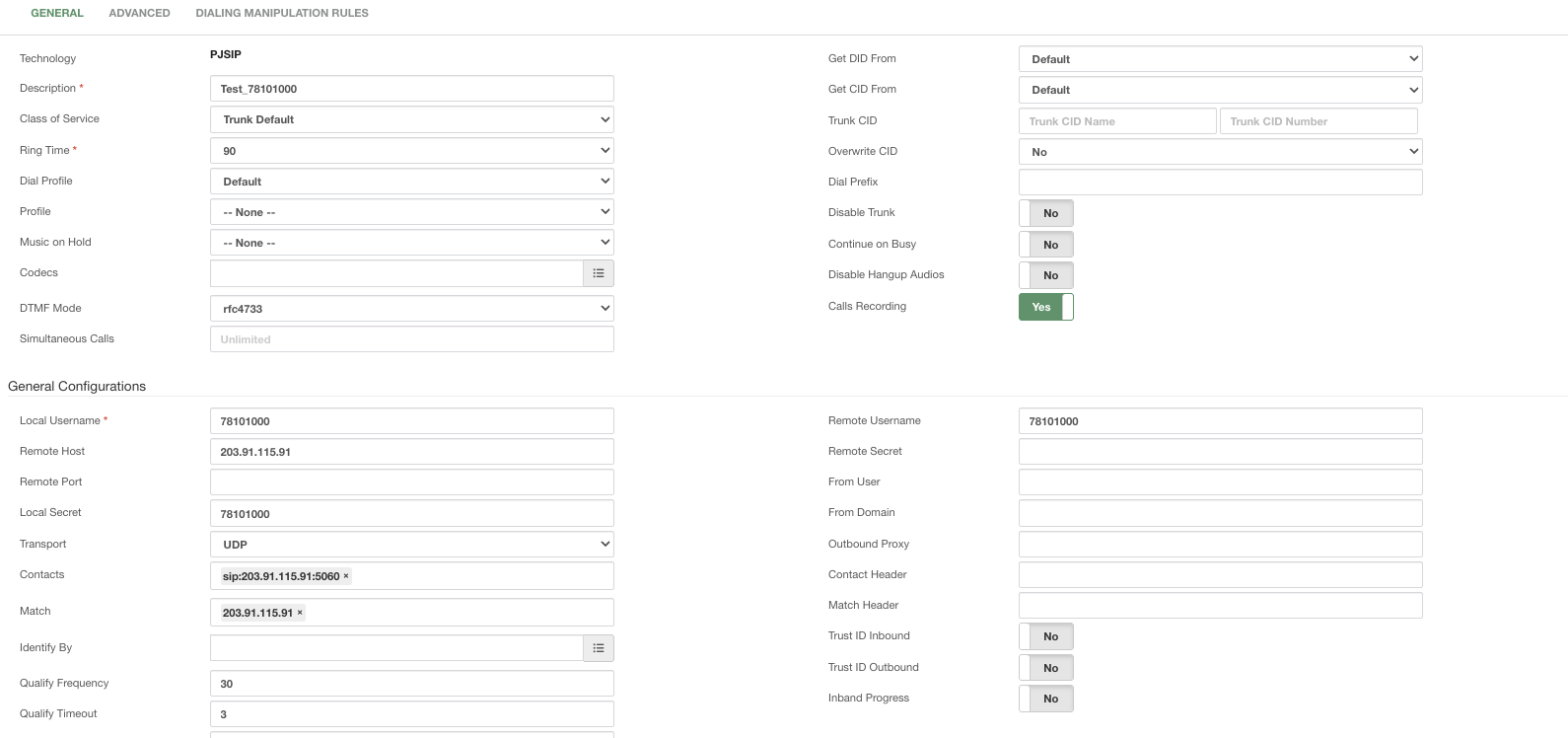
I’m just getting started with VitalPBX, but I’m having trouble registering a trunk. Could you please help me identify what I might be missing or doing wrong? I’ve been following the Udemy VitalPBX lessons step by step, and I did everything exactly as shown in the video. I’ve also included my system information and a screenshot of the trunk registration. Thank you in advance!


---
### Author:  [@miguel](https://forums.vitalpbx.org/u/miguel)
#### Post date: [September 17, 2025, 6:38pm UTC](https://forums.vitalpbx.org/t/trunk-registration/5718/2 "2025-09-17T18:38:35Z")
You don’t need a `Local Secret` if the authentication is outbound.
Some other recommendations:
- Empty the Contacts field. This is created automatically; it is only needed when you have multiple IP addresses or domains for outbound calls.
- Select the option `IP` in the field `Identify By.`
- Select the `Default PJSIP Profile` in the field `Profile`.
- Set a valid `Trunk CID.` Most providers required a valid outbound CID to place calls.
- Set the parameter `Overwrite CID` to `If not provided.`
---
### Author:  [@Uuskuu](https://forums.vitalpbx.org/u/Uuskuu)
#### Post date: [September 19, 2025, 2:52pm UTC](https://forums.vitalpbx.org/t/trunk-registration/5718/3 "2025-09-19T14:52:38Z")
It is registered now. Thank you!
But the problem is when I try to check and call this number. It says it’s not registered(In our language.) Do you have any idea about it? I did inbound route too.

---
### Author:  [@system](https://forums.vitalpbx.org/u/system)
#### Post date: [October 19, 2025, 2:52pm UTC](https://forums.vitalpbx.org/t/trunk-registration/5718/4 "2025-10-19T14:52:45Z")
This topic was automatically closed 30 days after the last reply. New replies are no longer allowed.