# Failing to Provision Hardware Phone
**URL:** https://forums.vitalpbx.org/t/failing-to-provision-hardware-phone/5698
**Category:** VitalPBX
**Created:** [September 6, 2025, 4:35pm UTC](https://forums.vitalpbx.org/t/failing-to-provision-hardware-phone/5698 "2025-09-06T16:35:03Z")
**Posts on this page:** 2
**Page:** 1
### Author:  [@jkasdorf](https://forums.vitalpbx.org/u/jkasdorf)
#### Post date: [September 6, 2025, 4:35pm UTC](https://forums.vitalpbx.org/t/failing-to-provision-hardware-phone/5698/1 "2025-09-06T16:35:03Z")
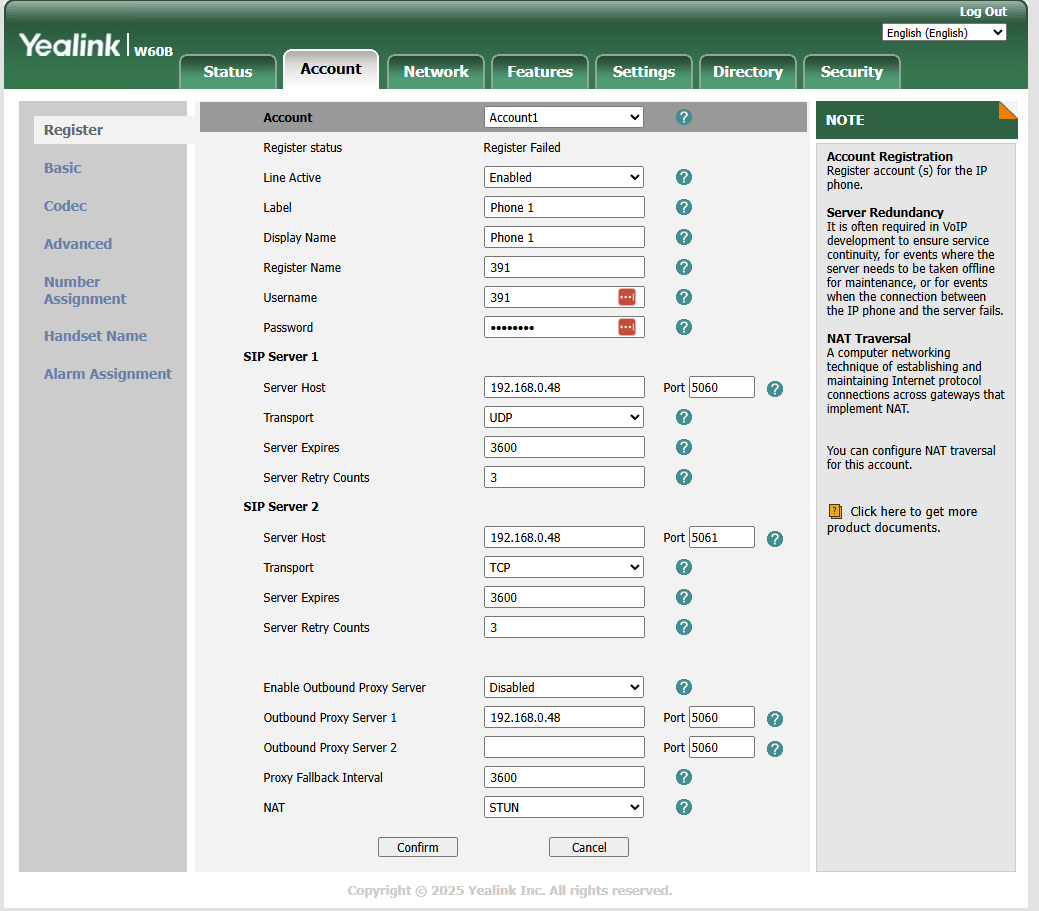
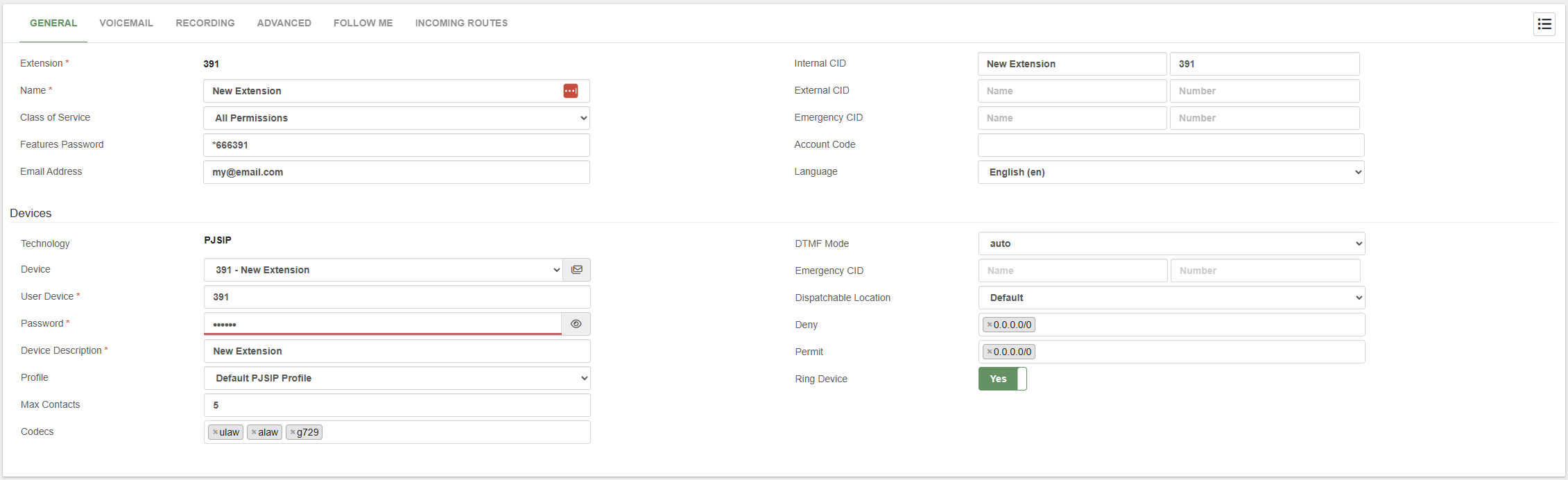
I’ve had success connecting a softphone up to my VitalPBX install, so I know that I’m not getting the information incorrect. After running around this for hours I’m hoping that somebody can direct me in a different direction here. My Yealink W60P set is not provisioning with the server using the same credentials as the extension that my softphone is working with. Yes I have unprovisioned the softphone before trying. Is there anything from this setup that looks incorrect when trying to connect these two together? I really don’t want to have to go looking for another PBX after getting this close.
---
### Author:  [@system](https://forums.vitalpbx.org/u/system)
#### Post date: [October 6, 2025, 4:35pm UTC](https://forums.vitalpbx.org/t/failing-to-provision-hardware-phone/5698/2 "2025-10-06T16:35:56Z")
This topic was automatically closed 30 days after the last reply. New replies are no longer allowed.