# Export Extensions via cli | cron job
**URL:** https://forums.vitalpbx.org/t/export-extensions-via-cli-cron-job/1883
**Category:** VitalPBX
**Created:** [October 19, 2022, 9:28am UTC](https://forums.vitalpbx.org/t/export-extensions-via-cli-cron-job/1883 "2022-10-19T09:28:20Z")
**Posts on this page:** 6
**Page:** 1
### Author:  [@jppedrosa](https://forums.vitalpbx.org/u/jppedrosa)
#### Post date: [October 19, 2022, 9:28am UTC](https://forums.vitalpbx.org/t/export-extensions-via-cli-cron-job/1883/1 "2022-10-19T09:28:20Z")
Hi
I would like to do the same as export all Extensions via web browser but in a cron job in VitalPBX to than send every day to our Human resources to keap all data from all users inside of company updated.
Could you please provide the location or a funtion on VitalPBX via cmd to generate this excel file to send via ftp to one external folder or via mail?
Thanks for your attention.
Best regards.
---
### Author:  [@miguel](https://forums.vitalpbx.org/u/miguel)
#### Post date: [October 21, 2022, 12:04am UTC](https://forums.vitalpbx.org/t/export-extensions-via-cli-cron-job/1883/2 "2022-10-21T00:04:04Z")
Currently, we don’t have a CLI command to export extensions. Nonetheless, you could use the API to retrieve the list of extensions filtered by the tenant.
---
### Author:  [@jppedrosa](https://forums.vitalpbx.org/u/jppedrosa)
#### Post date: [October 21, 2022, 7:57am UTC](https://forums.vitalpbx.org/t/export-extensions-via-cli-cron-job/1883/3 "2022-10-21T07:57:38Z")
Is there any another way to consult all this data from users via cli to export to a file?
If not, is it possible to develop the feature?
We have need to create a autonomous routine to do it instead of do it manually to send to our human resources and then automatically update all data phone from users.
---
### Author:  [@jppedrosa](https://forums.vitalpbx.org/u/jppedrosa)
#### Post date: [October 24, 2022, 12:23pm UTC](https://forums.vitalpbx.org/t/export-extensions-via-cli-cron-job/1883/4 "2022-10-24T12:23:53Z")
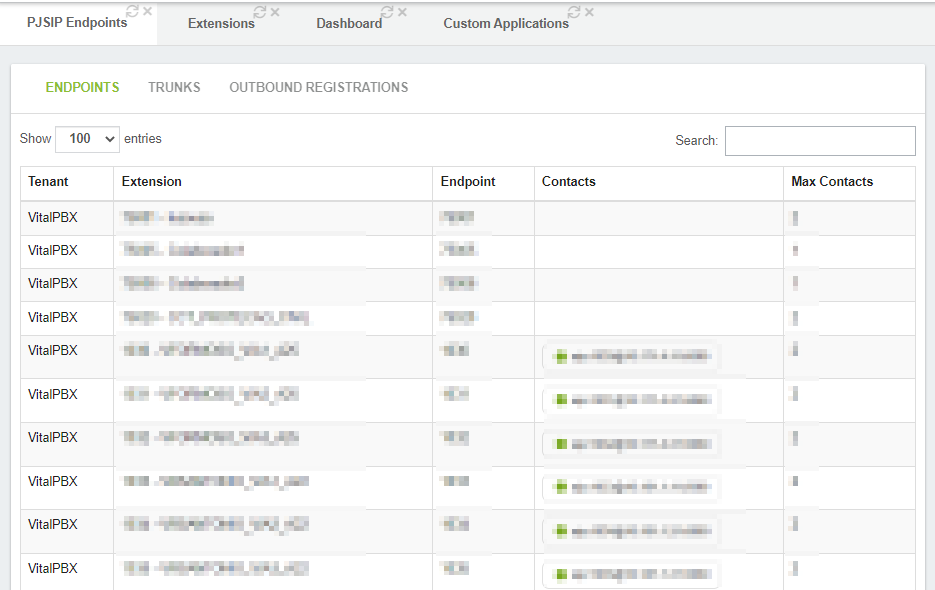
Is it possible to display this list in VitalPBX CLI, withe extension and endpoint?
---
### Author:  [@mo10](https://forums.vitalpbx.org/u/mo10)
#### Post date: [October 24, 2022, 12:43pm UTC](https://forums.vitalpbx.org/t/export-extensions-via-cli-cron-job/1883/5 "2022-10-24T12:43:39Z")
This was already answered:
> [@miguel](#):
>
> Currently, we don’t have a CLI command to export extensions. Nonetheless, you could use the API to retrieve the list of extensions filtered by the tenant.
Why not use the API?
---
### Author:  [@system](https://forums.vitalpbx.org/u/system)
#### Post date: [November 23, 2022, 12:43pm UTC](https://forums.vitalpbx.org/t/export-extensions-via-cli-cron-job/1883/6 "2022-11-23T12:43:54Z")
This topic was automatically closed 30 days after the last reply. New replies are no longer allowed.