# Calls using the URL:Tel protocol
**URL:** https://forums.vitalpbx.org/t/calls-using-the-url-tel-protocol/1305
**Category:** VitXi WebRTC
**Created:** [May 9, 2022, 6:07pm UTC](https://forums.vitalpbx.org/t/calls-using-the-url-tel-protocol/1305 "2022-05-09T18:07:41Z")
**Posts on this page:** 20
**Page:** 1
### Author:  [@jppedrosa](https://forums.vitalpbx.org/u/jppedrosa)
#### Post date: [May 9, 2022, 6:07pm UTC](https://forums.vitalpbx.org/t/calls-using-the-url-tel-protocol/1305/1 "2022-05-09T18:07:41Z")
Hi,
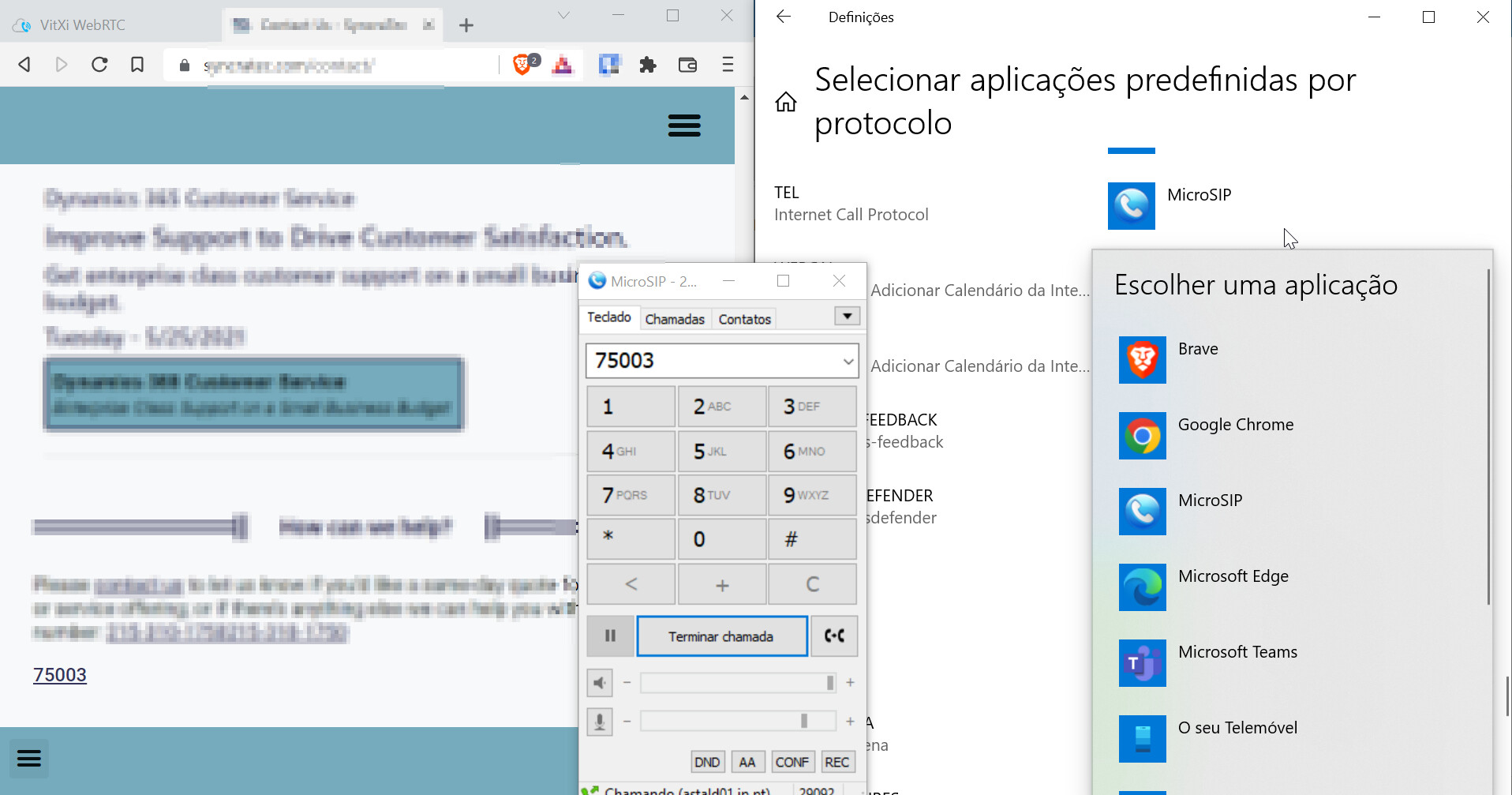
I would like to define VitXi WebRTC the default application to make calls via TEL protocol instead of Teams or microsip or other applications.
If i choose microsip, works:
MicrosoftTeams, works:
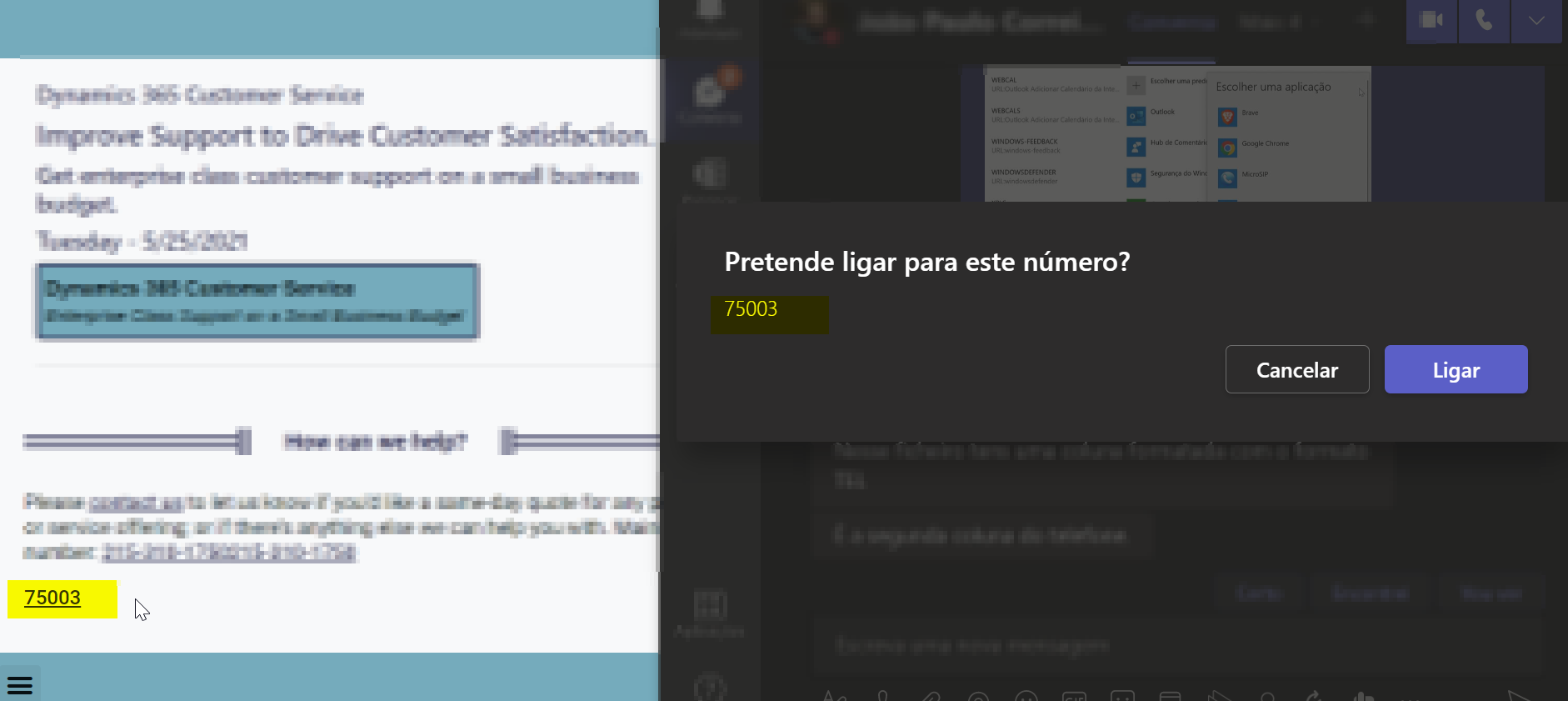
I edit web content and add this code to test a call to a internal extension.

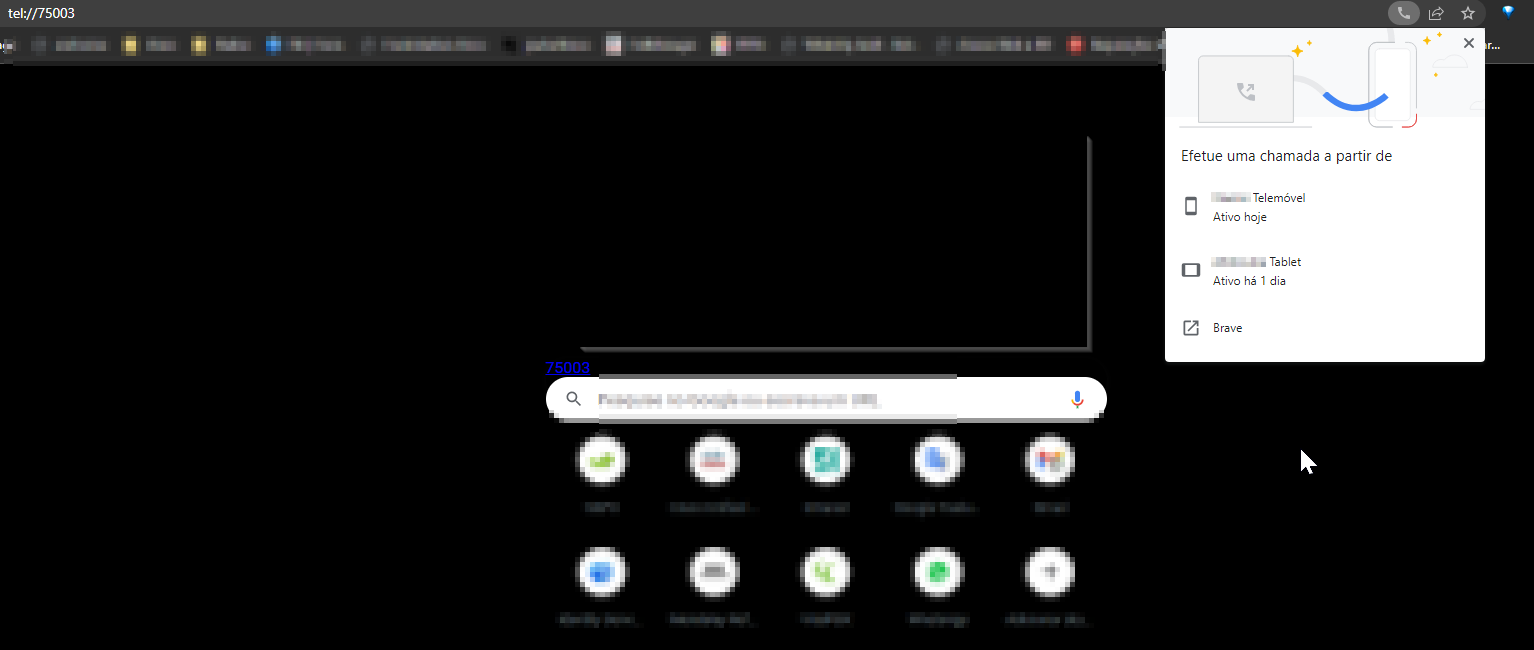
If i choose a browser like a default app to make call via TEL protocol, doesn’t work:
Does have anyone a ideia how to configure this?
---
### Author:  [@maynor](https://forums.vitalpbx.org/u/maynor)
#### Post date: [May 11, 2022, 4:24pm UTC](https://forums.vitalpbx.org/t/calls-using-the-url-tel-protocol/1305/2 "2022-05-11T16:24:09Z")
This is one of the new features that will be available in the next release that will be published in the next few days.
The only thing you will need to do is to install VitXi WebRTC as a Desktop App. See the following link: [Install VitXi WebRTC as Desktop App](https://wiki.vitalpbx.com/documentation/vitxi-webrtc/install-as-desktop-app/)
This feature will be compatible with Chrome and Edge.
I will let you know when the new version is available,
Best regards!
---
### Author:  [@miguel](https://forums.vitalpbx.org/u/miguel)
#### Post date: [May 12, 2022, 6:58pm UTC](https://forums.vitalpbx.org/t/calls-using-the-url-tel-protocol/1305/3 "2022-05-12T18:58:34Z")
This is already available in the Latest VitXi WebRTC update.
> [@VitXi WebRTC 1.1.0 is now available!](https://forums.vitalpbx.org/t/vitxi-webrtc-1-1-0-is-now-available/1328):
>
> We are pleased to announce the availability of VitXi WebRTC 1.1.0. This new version includes important performance and design enhancements, as well as new functionalities related to conferences and others. In addition, we are addressing a variety of concerns raised by our customers and community. [Full Changelog Here](https://vitalpbx.com/vitxi-webrtc-phone-changes-log/)
---
### Author:  [@jppedrosa](https://forums.vitalpbx.org/u/jppedrosa)
#### Post date: [May 15, 2022, 4:04pm UTC](https://forums.vitalpbx.org/t/calls-using-the-url-tel-protocol/1305/4 "2022-05-15T16:04:02Z")
Hi @miguel
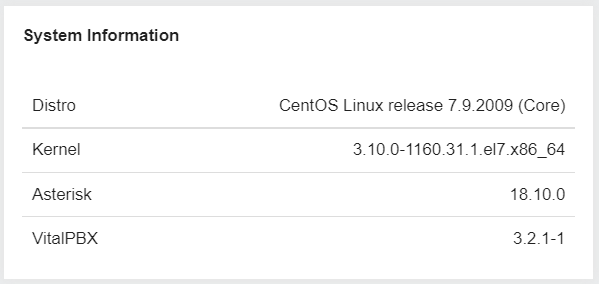
After looking for new updates, I still can’t find the option to install the new version of VitXi.
I clean cache and check online but the result remains the same.
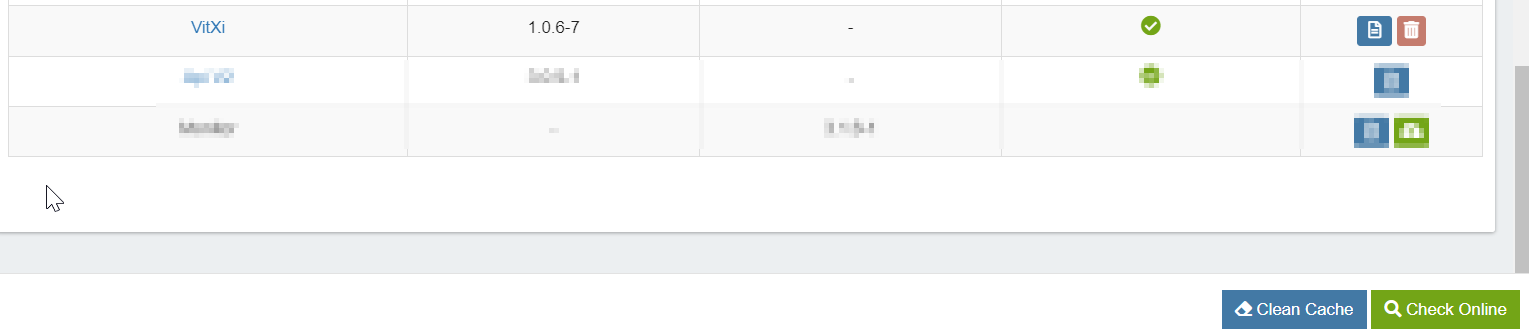
System Information:
Some advice?
---
### Author:  [@PitzKey](https://forums.vitalpbx.org/u/PitzKey)
#### Post date: [May 15, 2022, 7:39pm UTC](https://forums.vitalpbx.org/t/calls-using-the-url-tel-protocol/1305/5 "2022-05-15T19:39:23Z")
```auto
yum clean all
yum update -y
```
---
### Author:  [@jppedrosa](https://forums.vitalpbx.org/u/jppedrosa)
#### Post date: [May 18, 2022, 10:00pm UTC](https://forums.vitalpbx.org/t/calls-using-the-url-tel-protocol/1305/6 "2022-05-18T22:00:17Z")
Thanks @PitzKey
Did work!


By the way.
After install the new version, I notice that I had some problems, in the boton of logout (I can’t logout) and I can’t register my extension in webrtc, is always unregistered.
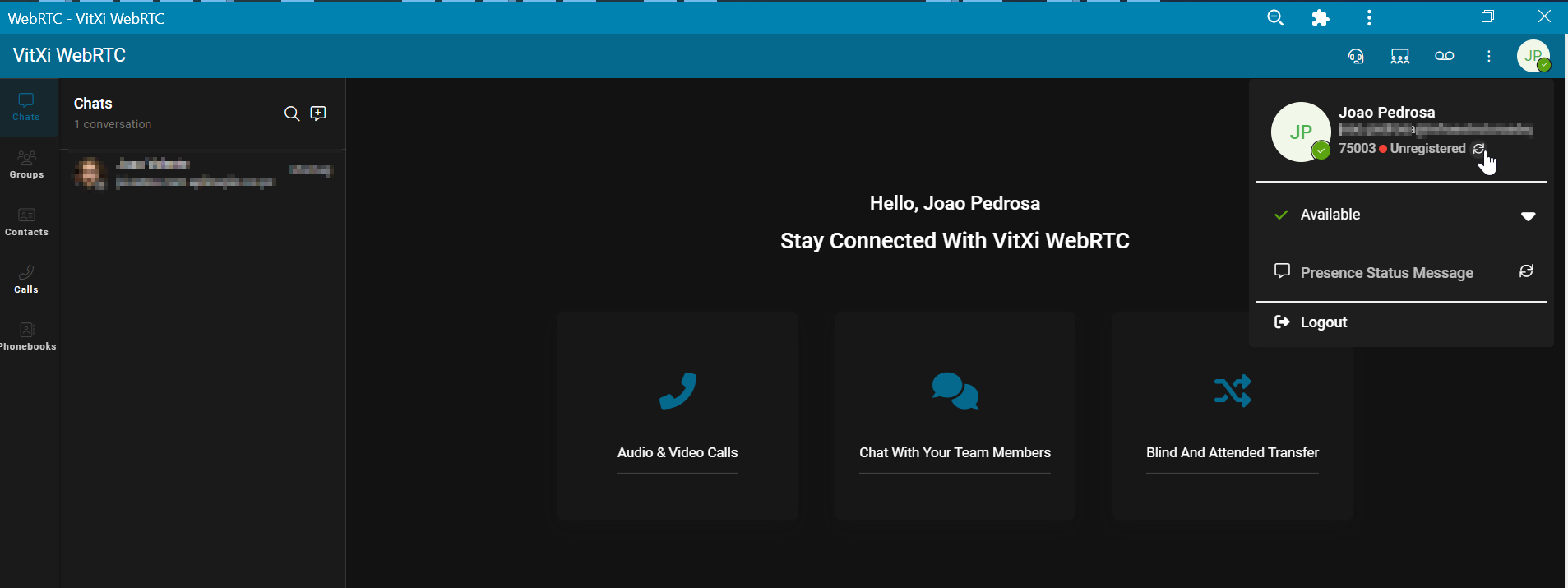
Does anyone had the same problems?
---
### Author:  [@maynor](https://forums.vitalpbx.org/u/maynor)
#### Post date: [May 18, 2022, 10:12pm UTC](https://forums.vitalpbx.org/t/calls-using-the-url-tel-protocol/1305/7 "2022-05-18T22:12:23Z")
Upgrade to the latest released version: 1.1.0-2
---
### Author:  [@maynor](https://forums.vitalpbx.org/u/maynor)
#### Post date: [May 18, 2022, 10:14pm UTC](https://forums.vitalpbx.org/t/calls-using-the-url-tel-protocol/1305/8 "2022-05-18T22:14:05Z")
In the add-ons module: Clean Caché =\> Check Online
---
### Author:  [@jppedrosa](https://forums.vitalpbx.org/u/jppedrosa)
#### Post date: [May 18, 2022, 10:24pm UTC](https://forums.vitalpbx.org/t/calls-using-the-url-tel-protocol/1305/9 "2022-05-18T22:24:08Z")
Thanks @maynor for the alert, but I can’t update.
Every time I use the commands:
- yum clean all
- yum update -y
I receive this alert even after disabling authentication in my proxy for this machine:
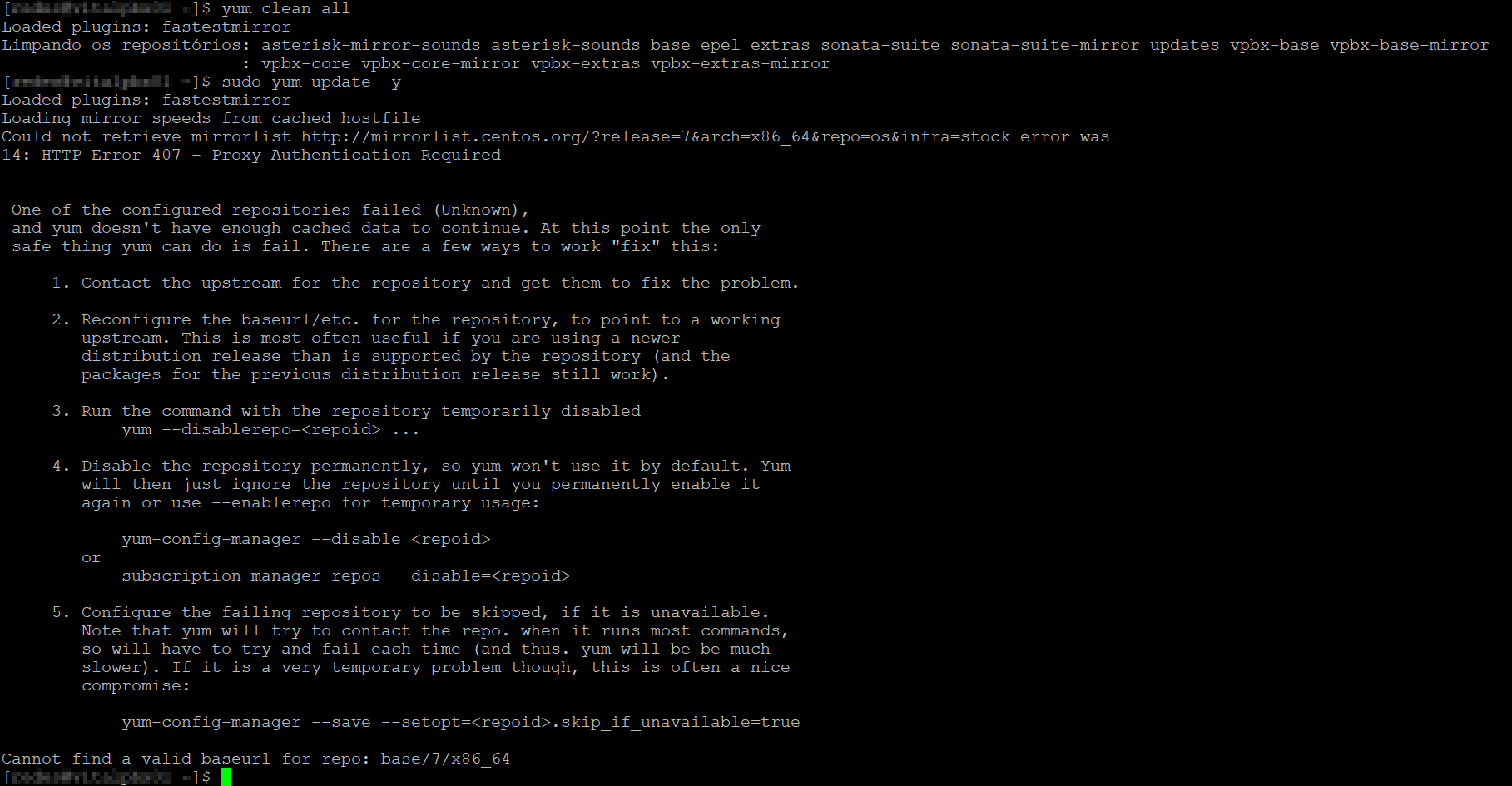
Any suggestion?
Even if I try:
- In the add-ons module: Clean Caché =\> Check Online
---
### Author:  [@maynor](https://forums.vitalpbx.org/u/maynor)
#### Post date: [May 18, 2022, 10:50pm UTC](https://forums.vitalpbx.org/t/calls-using-the-url-tel-protocol/1305/10 "2022-05-18T22:50:00Z")
Check if there is a proxy or if the computer has internet.
---
### Author:  [@jppedrosa](https://forums.vitalpbx.org/u/jppedrosa)
#### Post date: [May 19, 2022, 9:32am UTC](https://forums.vitalpbx.org/t/calls-using-the-url-tel-protocol/1305/11 "2022-05-19T09:32:38Z")
Hi @maynor
This morning, without any changes in network or services, I had run the commands without any issues:
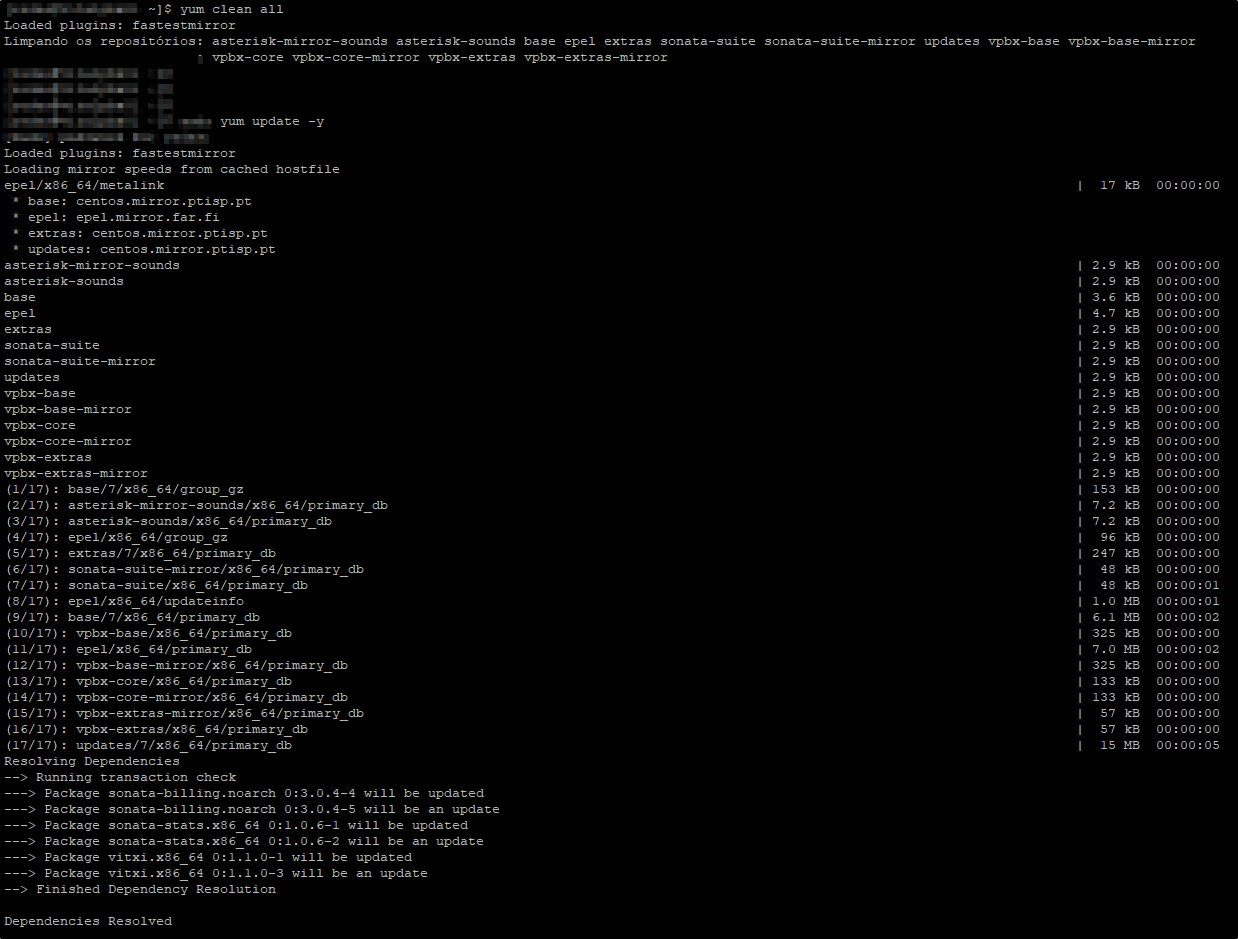
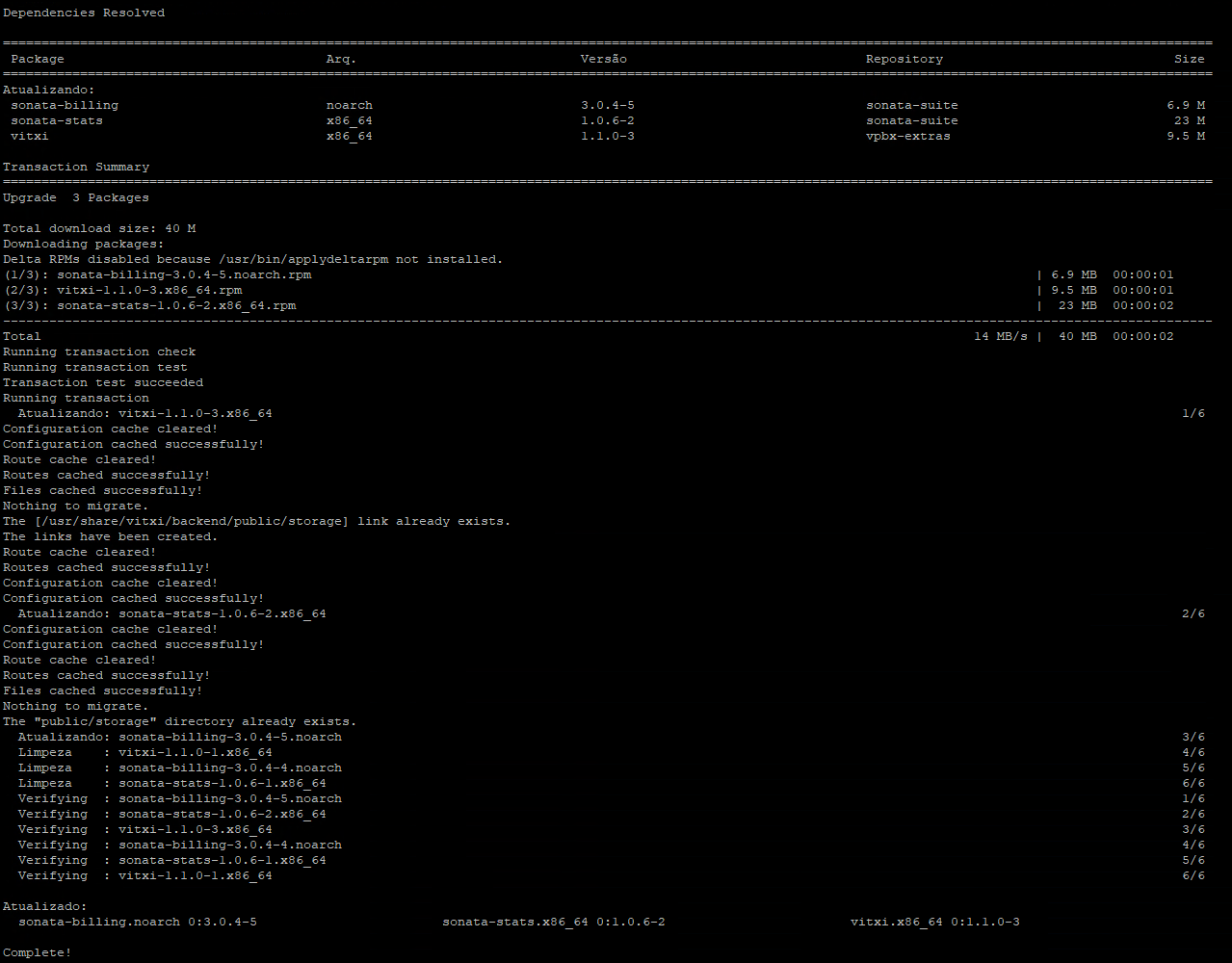
Now I have the version 1.1.0-3 but with the same issues.
---
### Author:  [@maynor](https://forums.vitalpbx.org/u/maynor)
#### Post date: [May 19, 2022, 2:40pm UTC](https://forums.vitalpbx.org/t/calls-using-the-url-tel-protocol/1305/12 "2022-05-19T14:40:06Z")
You could reload the app with ctrl+f5 (to clear cache), then reload the application and enter the browser console to check if there are any error messages.
---
### Author:  [@jppedrosa](https://forums.vitalpbx.org/u/jppedrosa)
#### Post date: [May 19, 2022, 3:01pm UTC](https://forums.vitalpbx.org/t/calls-using-the-url-tel-protocol/1305/13 "2022-05-19T15:01:00Z")
When I press in the Logout button, I receive the message “WebSocket: closed”.
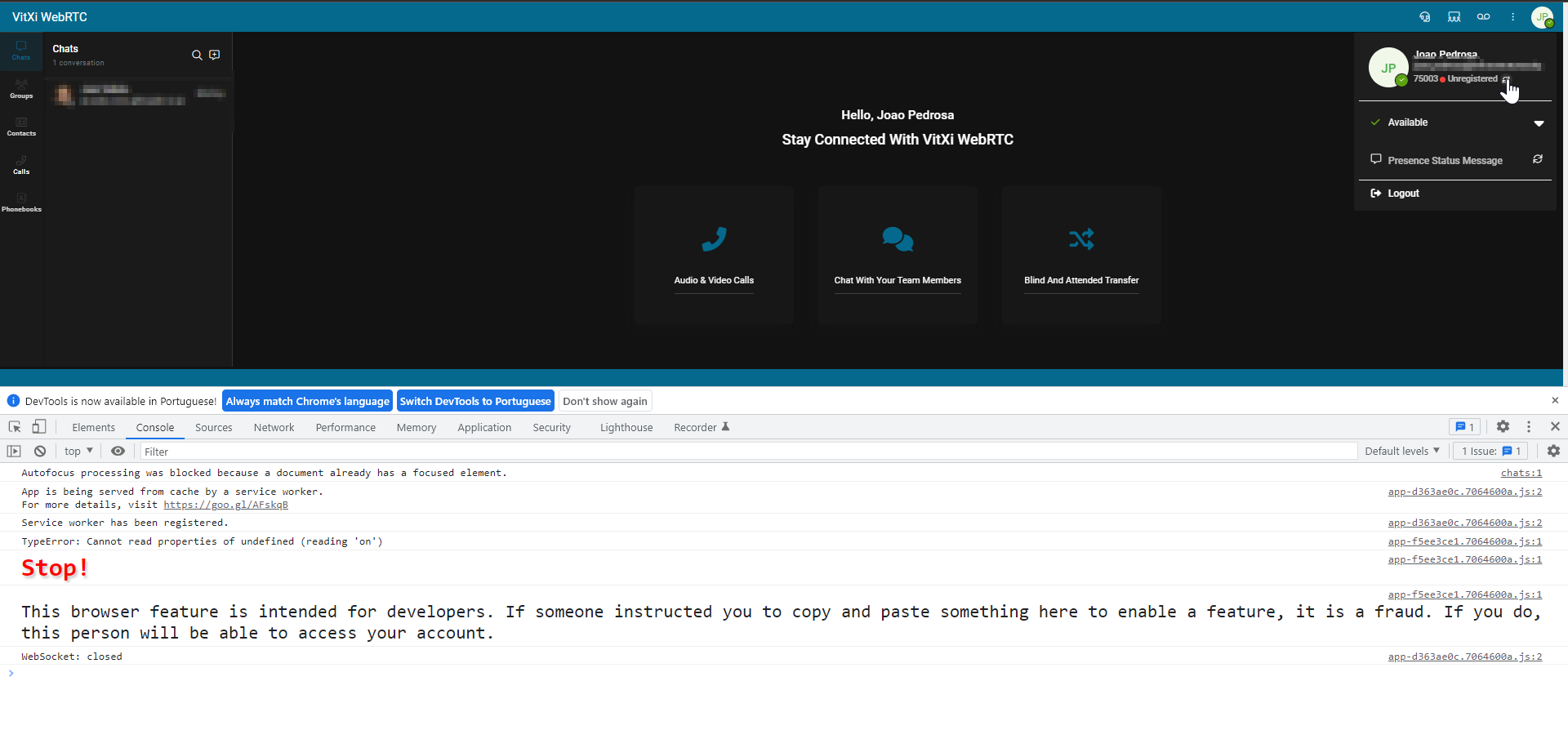
If I press in the button to update my state to registered, before or after press “Logout” button, nothing happens.
---
### Author:  [@novaltek](https://forums.vitalpbx.org/u/novaltek)
#### Post date: [May 19, 2022, 3:49pm UTC](https://forums.vitalpbx.org/t/calls-using-the-url-tel-protocol/1305/14 "2022-05-19T15:49:11Z")
hello, try the following:
yum install yum-utils.noarch
yum install yum-complete-transaction
/usr/sbin/yum-complete-transaction
yum /usr/bin/yum clean all
yum update -y
---
### Author:  [@jppedrosa](https://forums.vitalpbx.org/u/jppedrosa)
#### Post date: [May 19, 2022, 7:34pm UTC](https://forums.vitalpbx.org/t/calls-using-the-url-tel-protocol/1305/15 "2022-05-19T19:34:09Z")
Hi,
It was my configuration error.
I had this configuration wrong.
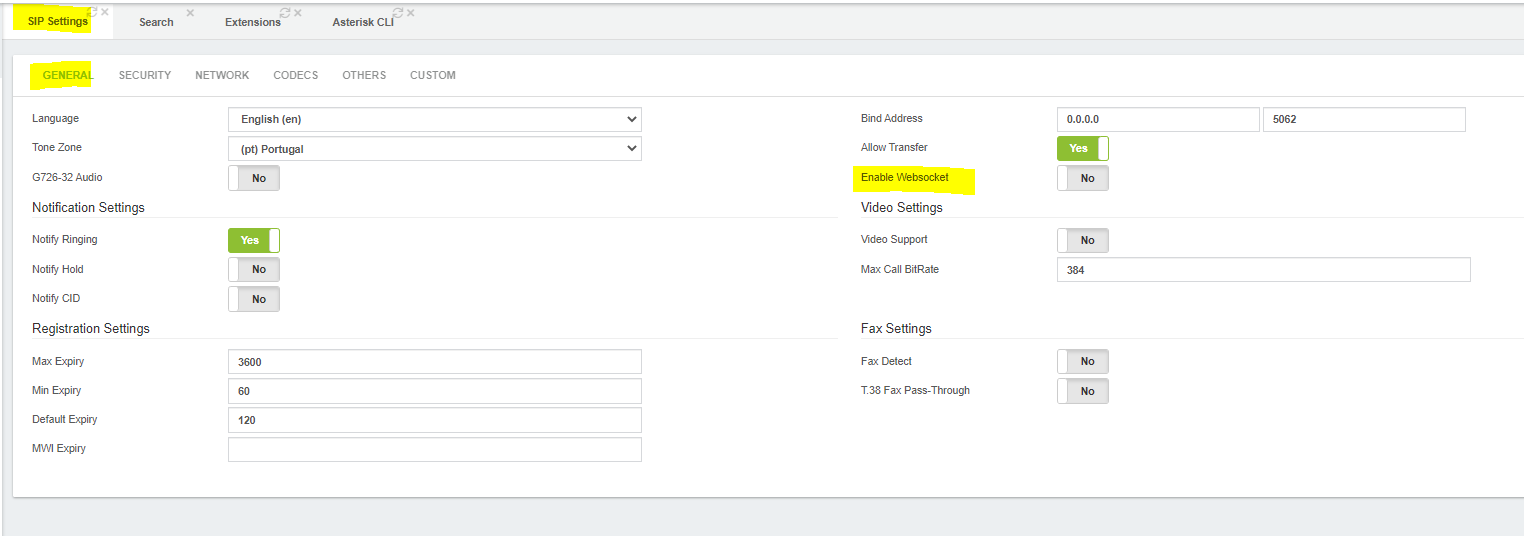
Said NO to **Enable Websocket** in SIP Settings
Thanks everyone for the help.
Five stars \*\*\* \* \* \* \*\*\*
---
### Author:  [@jppedrosa](https://forums.vitalpbx.org/u/jppedrosa)
#### Post date: [August 12, 2022, 3:14pm UTC](https://forums.vitalpbx.org/t/calls-using-the-url-tel-protocol/1305/16 "2022-08-12T15:14:19Z")
Hi all, @maynor @miguel, @PitzKey @novaltek,
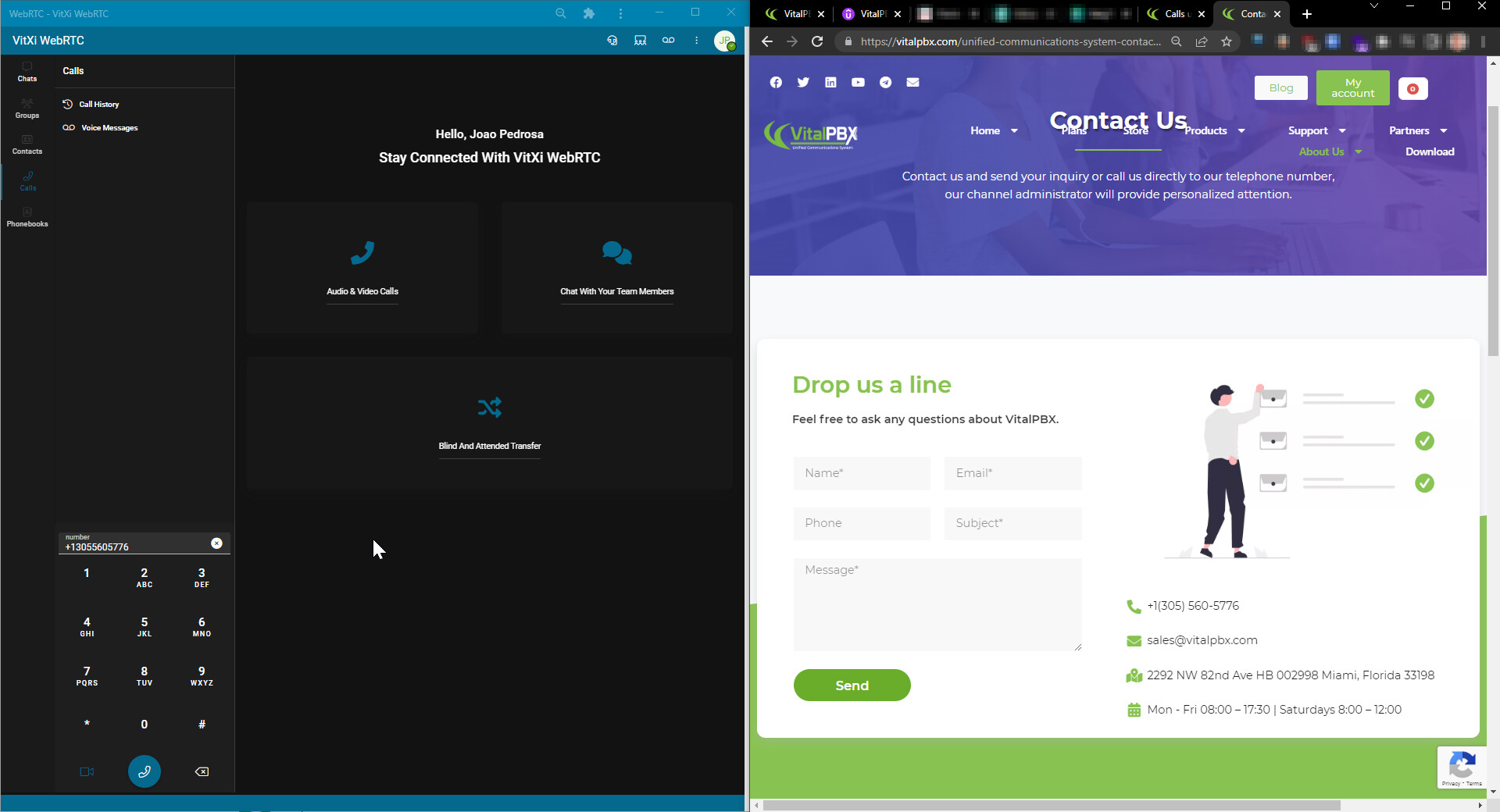
We are trying the app VitXi from Microsoft Store, following in the link bellow, when we click in one number, the app onpen, but not with the number that we had clicked.
In the webrtc VitXi it works without problems.
> **[Get VitXi WebRTC Softphone from the Microsoft Store](https://apps.microsoft.com/store/detail/vitxi-webrtc-softphone/9PGZ9B8KF1GD)**
>
> VitXi is a softphone based on WebRTC technology that integrates with VitalPBX with which you can make and receive calls from your computer.
>
> Stay connected with VitXi.
>
> Take your extension anywhere in one place. Available in the cloud and...
After click in the number, the app open just one time without problems, but without the number to call inside VitXi.
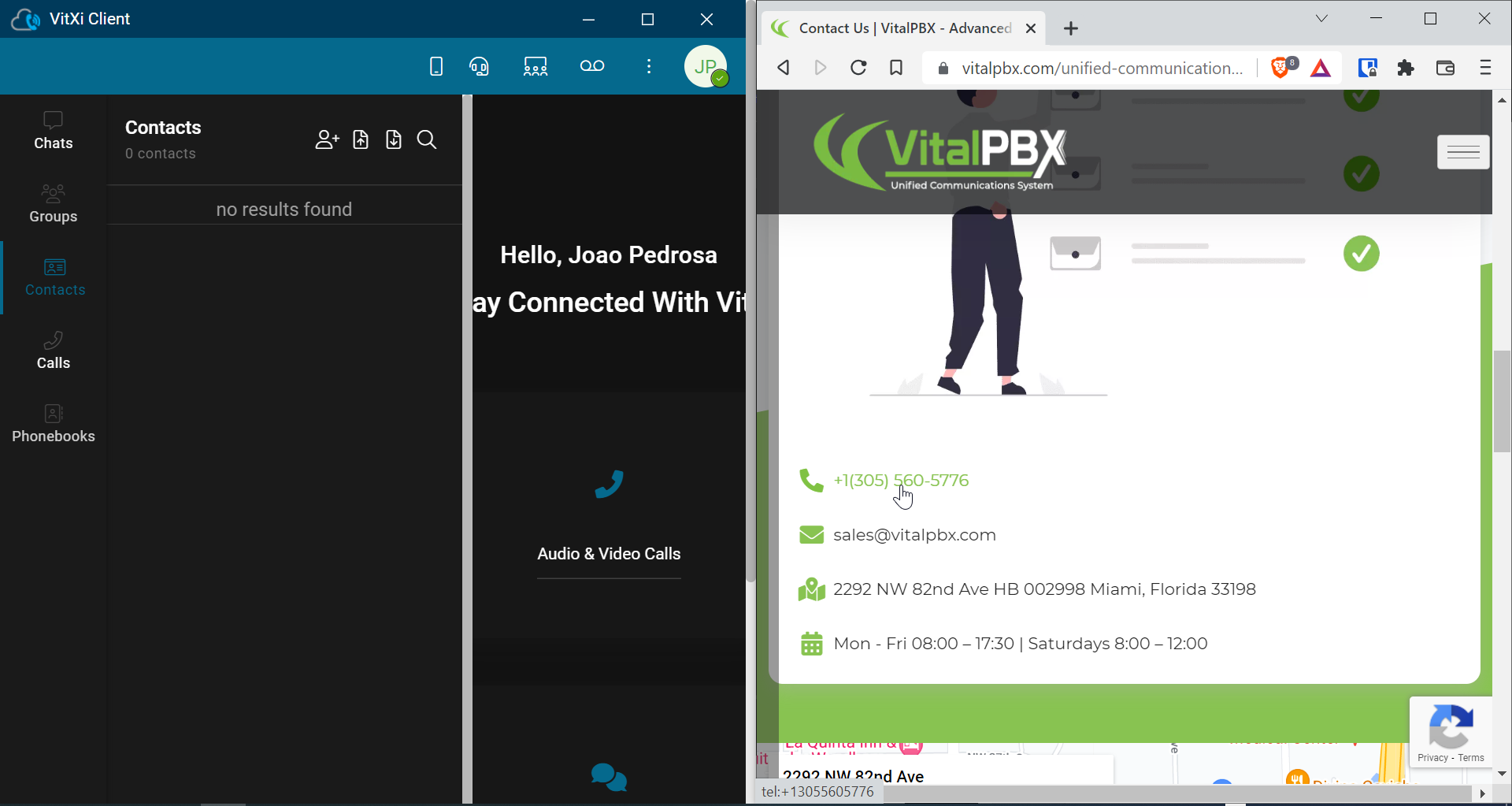
In WebRTX VitXi, the app open one diferent windows with weach time that we click and with the number that had clicked.
---
### Author:  [@jppedrosa](https://forums.vitalpbx.org/u/jppedrosa)
#### Post date: [October 7, 2022, 3:34pm UTC](https://forums.vitalpbx.org/t/calls-using-the-url-tel-protocol/1305/17 "2022-10-07T15:34:37Z")
Hi @maynor
After update the version of VitXi, this issue happen again:
“the app open one diferent windows with weach time that we click and with the number that had clicked.”
> [@Calls using the URL:Tel protocol](https://forums.vitalpbx.org/t/calls-using-the-url-tel-protocol/1305/16):
>
> Hi all, @maynor @miguel, @PitzKey @novaltek, We are trying the app VitXi from Microsoft Store, following in the link bellow, when we click in one number, the app onpen, but not with the number that we had clicked. In the webrtc VitXi it works without problems. After click in the number, the app open just one time without problems, but without the number to call inside VitXi. In WebRTX VitXi, the app open one diferent windows with weach time that we click and with the number that …

---
### Author:  [@maynor](https://forums.vitalpbx.org/u/maynor)
#### Post date: [October 7, 2022, 4:13pm UTC](https://forums.vitalpbx.org/t/calls-using-the-url-tel-protocol/1305/18 "2022-10-07T16:13:07Z")
Hello Sir,
The fact that several windows of the application open when clicking on a phone number only happens in the web version, this is due to the limitations that browsers currently have.
I recommend using this feature in the vitxi application that is in the Microsoft store.
Regards,
---
### Author:  [@jppedrosa](https://forums.vitalpbx.org/u/jppedrosa)
#### Post date: [October 13, 2022, 2:24pm UTC](https://forums.vitalpbx.org/t/calls-using-the-url-tel-protocol/1305/19 "2022-10-13T14:24:05Z")
Hi @maynor ,
It is possible to provide us a exe file from the app: VitXi WebRTC Softphone
[Microsoft Apps](https://apps.microsoft.com/store/detail/vitxi-webrtc-softphone/9PGZ9B8KF1GD)
Inside our company we can’t install this app and we are with issues in web browser versions when use TEL protocol
---
### Author:  [@maynor](https://forums.vitalpbx.org/u/maynor)
#### Post date: [October 14, 2022, 4:29pm UTC](https://forums.vitalpbx.org/t/calls-using-the-url-tel-protocol/1305/20 "2022-10-14T16:29:47Z")
Hi Sir,
We have uploaded the .exe file of the VitXi App to this URL: [Downloads | VitXi](https://downloads.vitalpbx.com/vitxi/)
Regards!
[Next page](https://forums.vitalpbx.org/t/calls-using-the-url-tel-protocol/1305.md?page=2)